
Your Ultimate 10-Point Website Audit Checklist for 2025


Welcome! If you're running a business online, you know your website is your most valuable asset. But is it working as hard as you are? Like any high-performance machine, a website needs regular tune-ups to perform at its peak. That’s where a thorough audit comes in. It isn't about finding flaws; it's about discovering hidden opportunities for growth, improving user experience, and ensuring you're getting the most out of every single visitor.
This comprehensive 10-point website audit checklist is your roadmap to a faster, stronger, and more profitable online presence. We'll break down complex topics into simple, actionable steps, making it easy for you to see exactly where you can improve. Think of this as your guide to transforming your site from a simple online brochure into a powerful growth engine that consistently attracts and converts customers. To truly unlock your website's full potential and ensure long-term success, it's essential to understand how to effectively conduct a website audit that drives real results.
We’ve designed this guide specifically for established e-commerce store owners who are ready to scale. You'll get clear, practical advice on everything from technical SEO and site speed to content quality, user experience, and conversion optimization. Let's dive in and start unlocking the potential you know your website has.
1. Technical SEO & Site Performance Analysis
Before you can even think about content or conversions, you have to ensure your website's foundation is solid. That's where a technical SEO and performance analysis comes in. This foundational step in our website audit checklist involves a deep dive into your site's technical infrastructure to make sure search engines like Google can find, crawl, and index your pages without any issues. It’s also about ensuring your site is lightning-fast and user-friendly on any device.

Think of it this way: if your store had a broken door, customers couldn't get in. Technical SEO makes sure the digital doors are wide open for both search engine bots and human visitors. This analysis covers everything from page load speeds and mobile responsiveness to more complex elements like sitemaps, robots.txt files, and Core Web Vitals.
Why It's a Game-Changer
A technically sound website isn't just a "nice to have"; it directly impacts your bottom line. Amazon famously discovered that for every 100ms improvement in page speed, they saw a 1% increase in revenue. Similarly, when Pinterest revamped its mobile site to improve Core Web Vitals, it saw a 40% jump in user engagement. These examples show that a fast, accessible site keeps users happy and encourages them to convert.
Actionable Tips for Your Audit
- Analyze Your Speed: Use free tools like Google PageSpeed Insights and GTmetrix to get a detailed report on your site's performance. They provide specific recommendations, like optimizing images or leveraging browser caching.
- Check Core Web Vitals: Log into your Google Search Console to monitor your Core Web Vitals report. This tells you exactly how users experience your site's loading speed, interactivity, and visual stability.
- Prioritize Crawl Errors: Your Google Search Console also reports on crawl errors. Fixing broken internal links (404 errors) and server issues (5xx errors) should be a top priority.
- Go Mobile-First: Use Google's Mobile-Friendly Test to ensure your site delivers a flawless experience on smartphones and tablets, where a huge chunk of your customers are shopping.
A comprehensive website audit begins with a deep dive into your site's technical foundations, and a detailed checklist can be invaluable for this process. For a step-by-step guide on what to look for, this Technical SEO Audit Checklist provides an excellent framework to get you started.
2. User Experience (UX) & Interface Design Evaluation
Once your site’s technical foundation is secure, the next critical step in your website audit checklist is to evaluate how users actually interact with it. A User Experience (UX) and Interface Design Evaluation is a deep dive into your site’s usability, accessibility, and overall intuitiveness. It's about ensuring your website is not just functional, but genuinely enjoyable and easy for your customers to use.

Think of this as walking a mile in your customer's shoes. Can they easily find your best-selling products? Is the checkout process seamless? This audit assesses everything from your navigation structure and visual design consistency to how well your site serves users with disabilities, ensuring it meets modern UX best practices championed by pioneers like Steve Krug and Jakob Nielsen.
Why It's a Game-Changer
A fantastic user experience directly translates to higher conversions and customer loyalty. For example, Airbnb’s relentless focus on UX testing and iteration led to a stunning 30% increase in bookings. Similarly, when Spotify refined its interface to be more intuitive, it saw a 25% lift in user engagement. These wins prove that a website designed around the user doesn't just feel better; it performs better, turning casual visitors into repeat buyers.
Actionable Tips for Your Audit
- Gather Real User Feedback: Conduct user testing sessions with your target audience. Watching them navigate your site provides invaluable, unfiltered insights into friction points you might have missed.
- Use Heatmapping Tools: Tools like Hotjar or Crazy Egg create visual heatmaps showing where users click, scroll, and move their mouse. This data reveals what grabs their attention and where they get stuck.
- Implement A/B Testing: Don't guess what works. Test different versions of critical page elements like call-to-action buttons, headlines, or product page layouts to see what drives more sales.
- Follow the 3-Click Rule: Ensure users can find any important information or product on your site within three clicks. A simple, logical navigation structure is key to reducing bounce rates.
- Check for Accessibility: Use an accessibility checker to ensure all interactive elements are keyboard-navigable and your site is usable for people with disabilities, widening your potential customer base.
3. Content Quality & SEO Optimization Assessment
Once your website's technical foundation is secure, it's time to focus on what brings visitors to your site in the first place: your content. This part of the website audit checklist involves a detailed evaluation of your content's quality, relevance, and optimization for search engines. It's about ensuring every blog post, product description, and landing page serves a purpose, resonates with your target audience, and is discoverable on Google.

Think of your website as a library. A content audit ensures the books are well-written, correctly categorized, and easy for readers to find. This assessment dives into everything from keyword optimization and readability to identifying duplicate content and ensuring each page aligns with user search intent. It’s a critical step to transform your site from a simple online brochure into a traffic-generating machine.
Why It's a Game-Changer
High-quality, optimized content is the engine of inbound marketing. HubSpot, for example, built its empire on a comprehensive content strategy that now generates over 4.5 million organic visitors per month. Similarly, REI’s expert advice and seasonal content optimization led to a 40% year-over-year increase in organic traffic. These brands prove that investing in content that truly helps your audience directly fuels business growth and establishes authority.
Actionable Tips for Your Audit
- Focus on Search Intent: Move beyond simply stuffing keywords. Analyze the top-ranking pages for your target terms to understand if users are looking for informational guides, product comparisons, or direct purchase pages, and tailor your content accordingly.
- Update and Republish: Identify your high-performing older blog posts using Google Analytics. Update them with fresh information, new images, and current statistics, then republish them. This "content refresh" can significantly boost their rankings.
- Create Topic Clusters: Organize your content around core "pillar" pages that cover a broad topic, with more specific "cluster" articles linking back to them. This structure signals your expertise to search engines and helps users find related information easily.
- Use Optimization Tools: Leverage tools like Clearscope or SurferSEO to analyze your content against top competitors. These platforms provide data-driven suggestions for improving your content's relevance and comprehensiveness.
- Implement Schema Markup: Add structured data (schema markup) to your pages to help search engines understand your content better. This can lead to rich snippets in search results, like star ratings or FAQs, which can improve click-through rates.
For a deeper dive into optimizing your content and site for search engines, consider these 10 Search Engine Optimization Best Practices for 2025 for an expanded framework.
4. Security & Privacy Compliance Audit
In an age where data breaches make headlines daily, securing your website and respecting user privacy isn't just good practice; it's a critical business function. A security and privacy compliance audit involves a thorough review of your site’s defenses against threats and its adherence to data protection laws like GDPR and CCPA. This part of your website audit checklist is about building trust and protecting both your customers and your business from serious harm.
Think of it as the digital equivalent of having high-quality locks and a transparent business policy for your physical store. This audit checks for valid SSL certificates, scans for vulnerabilities in your code and plugins, reviews your data handling processes, and ensures your privacy policy is clear and compliant. Neglecting this can lead to devastating security incidents and hefty legal fines.
Why It's a Game-Changer
A strong security posture directly translates to customer trust and brand loyalty. Apple has built an entire brand identity around its privacy-first approach, which has become a major differentiator and a key reason customers choose their ecosystem. Similarly, Shopify’s rigorous SOC 2 compliance gives enterprise-level customers the confidence they need to trust the platform with their sensitive business data. A secure site is a trustworthy site, and trust is the currency of e-commerce.
Actionable Tips for Your Audit
- Keep Everything Updated: One of the most common entry points for hackers is outdated software. Regularly update your website's core software, themes, and plugins to patch known vulnerabilities.
- Enforce Strong Access Controls: Implement two-factor authentication (2FA) for all administrative accounts to add a crucial layer of security beyond just a password.
- Conduct Regular Security Scans: Use tools like Sucuri SiteCheck or Wordfence to perform automated vulnerability scans. For a deeper analysis, consider investing in professional penetration testing annually.
- Review and Update Your Privacy Policy: Ensure your privacy policy accurately reflects your data collection and processing activities and is compliant with regulations like GDPR and CCPA. Be transparent with your users about how their data is used.
A complete website audit checklist must prioritize security to safeguard your hard-earned reputation. For a deeper understanding of web application security principles, the OWASP Foundation provides comprehensive standards and resources that are invaluable for any e-commerce business.
5. Analytics & Conversion Tracking Setup
If your website is your digital storefront, then analytics is your team of expert business analysts. A comprehensive audit of your analytics and conversion tracking setup is a non-negotiable part of any serious website audit checklist. This step involves a deep dive into your data collection tools, like Google Analytics, to ensure every click, purchase, and sign-up is being accurately measured. It's about verifying that the data you're using to make critical business decisions is reliable and complete.
Think of it this way: flying a plane without instruments is a recipe for disaster. Running an e-commerce business without accurate analytics is the digital equivalent. This audit confirms that your goal tracking, e-commerce reports, and campaign attribution are all configured correctly, giving you a crystal-clear view of what's working and what's not.
Why It's a Game-Changer
Having a flawlessly configured analytics setup is like having a superpower. It allows you to understand customer behavior, measure marketing ROI with precision, and identify exactly where users are dropping off in your funnel. Booking.com, for example, built its empire on a foundation of extensive A/B testing and data analysis, constantly tweaking its site based on user behavior to maximize conversions. This data-driven approach is what separates thriving online businesses from those that are just guessing.
Actionable Tips for Your Audit
- Audit Your Goals: Set up both macro-conversions (e.g., a completed purchase) and micro-conversions (e.g., adding an item to the cart, signing up for a newsletter). This gives you a more nuanced view of user engagement.
- Implement Enhanced E-commerce: If you're on a platform like Shopify or WooCommerce, ensure Enhanced E-commerce tracking is enabled in Google Analytics. This unlocks incredibly detailed reports on shopping behavior, checkout funnels, and product performance.
- Standardize Campaign Tagging: Use UTM parameters consistently for all your marketing campaigns (email, social media, ads). This is the only way to accurately attribute traffic and sales to the correct source, telling you which channels are delivering the best return.
- Clean Your Data: Go into your Google Analytics settings and check the box to "Exclude all hits from known bots and spiders." Also, consider setting up filters to exclude traffic from your own company's IP addresses to avoid skewing your data.
6. Mobile Responsiveness & Cross-Device Compatibility
With over half of all web traffic coming from mobile devices, your site's performance on a smartphone is no longer an afterthought; it’s the main event. This crucial step in our website audit checklist involves a thorough evaluation of how your website looks, feels, and functions across various devices, from desktops to tablets and, most importantly, smartphones. It’s about ensuring a seamless, intuitive, and conversion-friendly experience for every user, no matter their screen size.
Think of it this way: if a customer walks into your physical store, you want them to be able to navigate the aisles easily. A non-responsive mobile site is like having aisles that are too narrow for customers to walk down, forcing them to turn around and leave. This audit ensures your digital aisles are wide open for everyone.
Why It's a Game-Changer
A mobile-first approach directly impacts user satisfaction and conversions. After optimizing its mobile site, AliExpress reduced load times by 36% and saw a massive increase in orders. Similarly, Starbucks implemented a Progressive Web App (PWA) that mimicked their native app, leading to a 23% increase in mobile orders. These cases prove that a powerful mobile experience isn't just about looking good; it's about making it effortless for customers to buy from you.
Actionable Tips for Your Audit
- Test on Real Devices: Browser developer tools are great, but nothing beats testing on actual iPhones, Androids, and tablets. This helps you spot real-world usability issues, like buttons that are too small for a thumb to tap.
- Prioritize Thumb-Friendly Design: Ensure key navigation elements, call-to-action buttons, and form fields are placed within easy reach of a user's thumb. This simple ergonomic consideration can dramatically improve usability.
- Use Mobile Testing Tools: Services like BrowserStack allow you to test your site across thousands of real devices and browsers without owning them. This is essential for ensuring true cross-device compatibility.
- Check Image Optimization: Images should be optimized not just for file size but also for different screen densities (Retina displays, for example) to ensure they look crisp without slowing down page load times on mobile connections.
7. Link Profile & Authority Analysis
Your website's authority is like its reputation on the internet. A strong reputation, built through high-quality backlinks and a smart internal linking strategy, tells search engines like Google that your site is trustworthy and valuable. A link profile and authority analysis is a critical part of any website audit checklist, involving a deep look at who links to you, how you link to your own pages, and your overall domain strength.
Think of backlinks as votes of confidence from other websites. The more votes you get from reputable, relevant sites, the higher you'll rank. This audit helps you understand your current link profile, identify harmful or "toxic" links that could be hurting your rankings, and find new opportunities to build authority and climb the search results.
Why It's a Game-Changer
A healthy link profile is a powerful ranking signal and a major driver of organic traffic. When Ahrefs publishes original research and data-driven studies, it naturally earns thousands of high-quality backlinks from authoritative news sites and industry blogs. This strategy has cemented its position as a top-ranking authority in the SEO space. Similarly, Buffer used a combination of guest posting and exceptional content marketing to build a strong backlink profile that propelled its early growth.
Actionable Tips for Your Audit
- Audit Your Backlinks: Use tools like Ahrefs, Semrush, or Moz Link Explorer to analyze your backlink profile. Look for spammy, low-quality, or irrelevant links that could be harming your site.
- Create Linkable Assets: Don't just write blog posts; create resources that people want to link to. This could be a free tool, a unique calculator, an in-depth research study, or a comprehensive guide that becomes the go-to resource in your niche.
- Optimize Internal Linking: Don't forget about the links on your own site. A strong internal linking structure helps distribute "link juice" or authority across your important pages and guides both users and search engine crawlers through your website. Make sure your most important pages have the most internal links pointing to them.
- Monitor and Disavow: Regularly check for new, potentially harmful backlinks. Use Google's Disavow Tool to tell the search engine to ignore these toxic links, effectively protecting your site from negative SEO or penalties.
8. Local SEO & Business Listing Optimization
If your business has a physical location or serves a specific geographic area, you can't afford to ignore local search.## 8. Local SEO & Business Listing Optimization
If your business has a physical location or serves a specific geographic area, you can't afford to ignore local search. This specialized part of our website audit checklist focuses on how your brand appears to customers searching for products or services "near me." It involves a deep dive into your Google Business Profile, local directory listings, customer reviews, and location-specific pages to ensure you're the top choice for local buyers.
Think of it this way: when a customer searches for "organic coffee shop in Brooklyn," Google aims to provide the most relevant, reputable, and geographically close option. Local SEO optimization ensures your business is that top result, driving foot traffic and local online orders. This audit checks that your business information is consistent everywhere online, from your own site to Yelp and other directories.
Why It's a Game-Changer
Local search intent is incredibly high. According to Google, 76% of people who search for something nearby on their smartphone visit a related business within a day. For businesses like a local boutique or a restaurant chain like Domino's that drives online orders to the nearest store, optimizing for local search is a direct line to revenue. It captures customers at the exact moment they are ready to buy.
Actionable Tips for Your Audit
- Audit Your Google Business Profile: Is every section filled out? Are your hours, address, and phone number correct? Regularly add new photos, posts, and answer questions in the Q&A section.
- Check for NAP Consistency: Your Name, Address, and Phone number (NAP) must be identical across all online directories (Yelp, Tripadvisor, industry-specific sites). Use a tool to find and fix inconsistencies.
- Manage Your Reviews: Actively encourage customers to leave reviews and respond to every single one, both positive and negative. This builds trust and shows Google that your business is active and engaged.
- Create Location-Specific Pages: If you have multiple locations, each one needs its own dedicated page on your website. Include unique content, store hours, and local schema markup to help search engines understand the information.
- Build Local Citations: Ensure you're listed in key local and industry directories. This reinforces your location and business category to search engines, boosting your local authority.
9. Site Architecture & Information Hierarchy
Once your site is technically sound, the next critical step in a comprehensive website audit checklist is evaluating how your content is organized. Site architecture is the blueprint of your website, defining how pages are structured and linked together. This audit focuses on your information hierarchy, navigation, and URL structure to ensure both users and search engines can easily find what they're looking for without getting lost.
Think of your website like a physical store. Good architecture means clear aisles, logical product groupings, and helpful signage. A poor structure is like a messy, disorganized warehouse where customers can't find anything. For e-commerce businesses, a logical flow from a category page to a product page is crucial for a smooth user journey and is a key part of any thorough website audit checklist.
Why It's a Game-Changer
A well-planned site architecture directly improves user experience and SEO. When users can navigate intuitively, they stay longer, bounce less, and are more likely to convert. For search engines, a logical structure helps them understand the relationship between your pages, identify your most important content, and distribute "link equity" effectively across your site. Amazon's clear category hierarchy is a prime example, allowing millions of users to find specific products with minimal effort.
Actionable Tips for Your Audit
- Follow the 3-Click Rule: Aim for users to be able to access any important page on your site within three clicks from the homepage. This keeps the user journey short and efficient.
- Create Logical URL Structures: Your URLs should be clean, readable, and reflect the content hierarchy (e.g.,
yourstore.com/category/product-name). This helps both users and search engines understand the page's context. - Implement Breadcrumbs: Add breadcrumb navigation to your pages. This shows users their current location within the site's hierarchy and provides an easy way to navigate back to previous levels.
- Audit for Orphan Pages: Use a crawling tool like Screaming Frog to find "orphan pages" – pages that have no internal links pointing to them. These are invisible to both search engines and users browsing your site.
This infographic provides a quick reference for the core principles of effective site architecture.
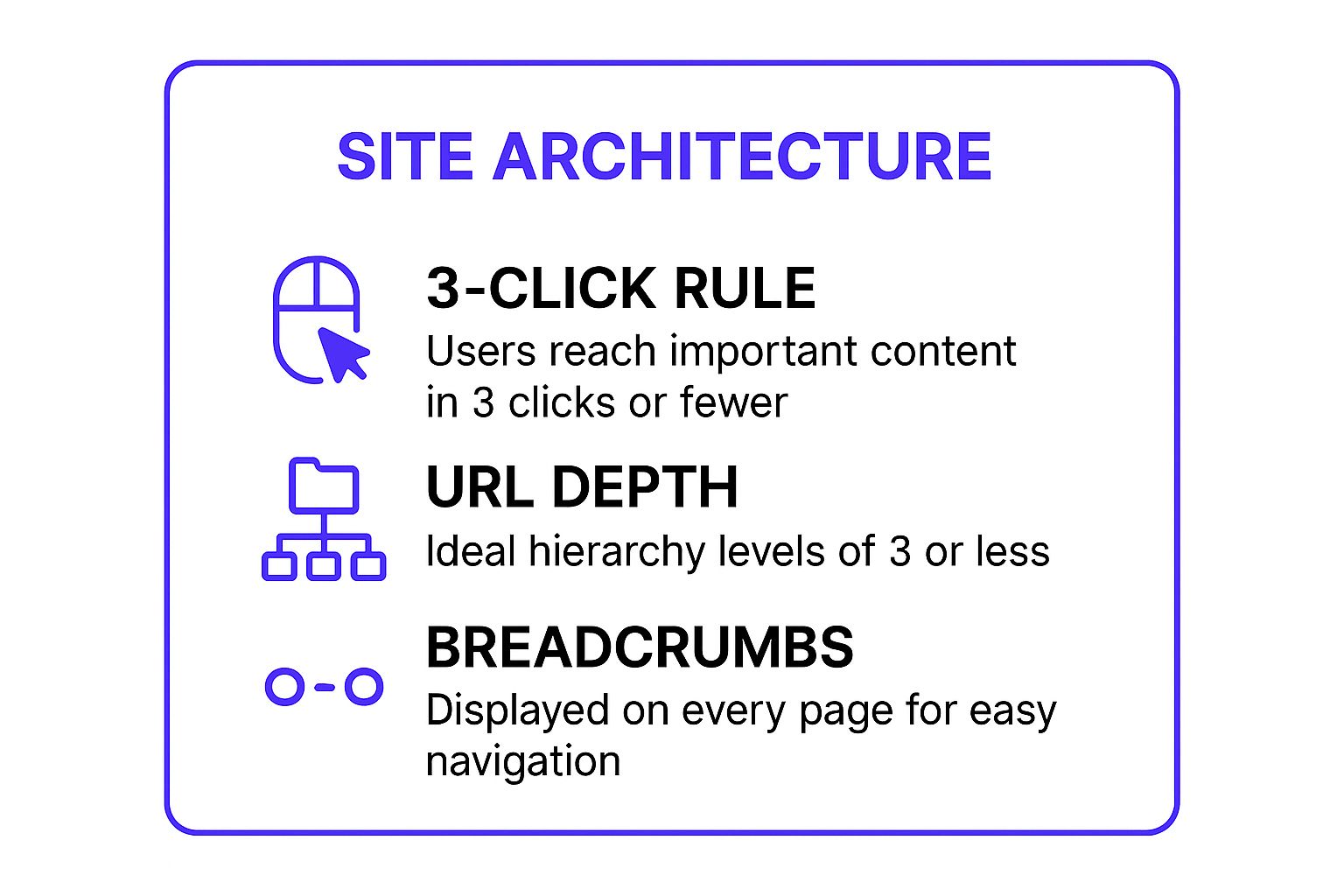
Keeping your site's structure flat and your navigation clear, as highlighted above, is fundamental to creating a positive user experience. For a deeper dive into organizing your site, Nielsen Norman Group's articles on Information Architecture offer foundational knowledge from industry experts.
10. Competitive Analysis & Market Positioning
Understanding your own website is only half the battle; you also need to know where you stand in the digital arena. A competitive analysis and market positioning audit involves a deep-dive comparison of your website against key competitors. This crucial part of our website audit checklist isn't just about spying; it’s about strategically identifying their strengths, weaknesses, and content gaps to find your own market opportunities.
Think of it as a strategic map of your industry. By analyzing how your competitors attract and convert customers, you can reverse-engineer their successes, avoid their mistakes, and carve out a unique space for your brand. This audit gives you the intelligence needed to make smarter decisions about your marketing, content, and overall business strategy.
Why It's a Game-Changer
A thorough competitive analysis can reveal game-changing insights. For instance, Dollar Shave Club analyzed the established grooming market and identified a major gap: customers were tired of overpriced, over-marketed razors. Their disruptive marketing and direct-to-consumer model exploited this weakness, leading to a billion-dollar valuation. Similarly, Canva analyzed complex design software and positioned itself as the simple, user-friendly alternative, capturing a massive audience.
Actionable Tips for Your Audit
- Identify Your True Competitors: Look beyond direct competitors who sell the same products. Also, analyze indirect competitors who solve the same customer problem with a different solution.
- Use Competitive Research Tools: Leverage platforms like SEMrush and Ahrefs to analyze your competitors' backlink profiles, top-ranking keywords, and most successful content. This data is a goldmine for your own strategy.
- Perform a Content Gap Analysis: See what keywords your competitors rank for that you don't. This helps you identify valuable content topics to target and attract a wider audience.
- Create a SWOT Analysis: Based on your findings, build a SWOT (Strengths, Weaknesses, Opportunities, Threats) analysis for your own business. This will clarify where you need to improve and what advantages you can leverage.
Website Audit Checklist Comparison
Your Next Steps to a Healthier Website
Congratulations! You've successfully navigated the comprehensive website audit checklist, and you're now equipped with a powerful roadmap to elevate your online store. The journey from a promising Etsy shop or a growing e-commerce business to a truly scalable enterprise is paved with this kind of detailed, strategic optimization. Think of this checklist not as a final exam, but as your new personal trainer for your website’s health.
You’ve explored everything from the deep technical foundations of your site's performance to the nuances of user experience and the critical importance of a rock-solid security posture. This isn't just about ticking boxes; it's about understanding how each element, from mobile responsiveness to your backlink profile, interconnects to create a seamless, high-converting customer journey. The difference between a business hitting a plateau at $20k a month and one that breaks through to the next level often lies in mastering these very details.
Turning Your Audit into Actionable Growth
So, what's next? The sheer volume of information can feel overwhelming, but progress is made one step at a time. The key is to prioritize effectively. Don't try to fix everything at once.
- Categorize Your Findings: Group the issues you've identified into "quick wins" (low effort, high impact), "major projects" (high effort, high impact), and "routine maintenance" (ongoing tasks).
- Target the Money-Makers First: Focus on the items that most directly impact your revenue. A broken checkout process or a slow-loading product page (from your Performance and UX audit) will likely cost you more in the short term than a missing alt tag on a blog post.
- Establish a Baseline: Before you implement changes, make sure your analytics are properly configured. You need to be able to measure the "before" and "after" to know what's working. This is your scorecard for success.
For many growing e-commerce entrepreneurs, your website is your single most important asset. It's your digital storefront, your brand ambassador, and your 24/7 salesperson. Performing a regular, thorough audit using this website audit checklist ensures that asset is always working as hard as you are. It's a continuous cycle of analysis, implementation, and measurement.
Key Takeaway: A website audit is not a one-time project. It is an ongoing business process that separates stagnant online stores from those that achieve sustainable, long-term growth.
By committing to this process, you are investing directly in your business’s future. You’re building a stronger, faster, and more trustworthy platform that will not only attract more customers through improved SEO but will also convert them more effectively and keep them coming back. You are laying the foundation for a brand that can truly compete and thrive in the crowded e-commerce landscape.
Feeling ready to transform these insights into tangible results but not sure where to start? The team at Wand Websites specializes in taking the complexity of a complete website audit and turning it into a clear, actionable growth plan for e-commerce businesses just like yours. Let us handle the technical details so you can focus on what you do best: running your business. Discover how Wand Websites can build you a website that performs.
