
Transfer from Wix to Shopify A Complete Guide


Thinking about moving your online store? If you're weighing a transfer from Wix to Shopify, you're not alone. It's a strategic move many growing businesses make when they start to feel the ceiling of their current platform. This isn't about starting from scratch; it’s about leveling up your entire operation to a platform built from the ground up for serious selling.
Why Smart Store Owners Transfer From Wix to Shopify

So many entrepreneurs get their start on Wix, and for good reason. It’s an amazing, user-friendly tool for getting a beautiful site up and running fast. But as your business starts to take off, your needs change. That simple online shop can quickly evolve into a complex machine that demands powerful inventory management, sophisticated marketing tools, and the ability to handle traffic spikes without a sweat.
This is exactly where you start to feel the difference between a general website builder and a dedicated e-commerce platform. The core DNA is just different. Wix is a fantastic website builder that added e-commerce features. Shopify, on the other hand, was born and bred with one purpose: to be the best possible platform for selling online.
When Your Business Outgrows Its Platform
I like to think of it this way: Wix is a Swiss Army knife. It’s versatile and does a lot of things pretty well, including running a small store. But Shopify is a professional chef's knife—perfectly engineered for one specific, demanding job. Once your order volume picks up, you really start to feel that difference.
You’re probably hitting the limits of Wix if any of this sounds familiar:
- Limited Inventory Management: You're pulling your hair out trying to manage hundreds (or thousands) of products with tricky variations and SKUs.
- Scalability Concerns: Your site gets sluggish during a big sale or a new product launch, and you’re holding your breath hoping it doesn’t crash.
- App Ecosystem Gaps: You keep searching for a specific integration for marketing, shipping, or customer service, but it just doesn't exist for Wix.
- Conversion Rate Plateaus: You’ve tweaked everything you can, but your sales just aren't climbing like they should be.
These are classic growing pains. They're a sign that it’s time to move to a more specialized solution built for the big leagues.
To put the most critical differences into perspective, here's a quick breakdown of what matters most when you're scaling up.
Wix vs Shopify: A Quick Comparison for Growing Businesses
This table highlights the key differences that often motivate store owners to migrate from Wix to Shopify, focusing on scalability and ecommerce functionality.
Ultimately, while both platforms can get you selling, Shopify is built to help you sell more as your business grows. The entire ecosystem is geared toward conversion and efficiency.
The Power of a Commerce-First Architecture
The numbers tell a compelling story. While Wix powers over 8 million sites, it holds just 2.5% of the market share for top-tier e-commerce stores. Shopify, in contrast, has a massive 28% market share in that same category. It’s the clear favorite for serious online retail.
There's a reason for that. Merchants on Shopify often report superior conversion rates—sometimes up to 36% higher than on other platforms. The top-performing stores hit conversion rates of 4.7%, smashing the industry average of just 1.4%. You can dig deeper into the specifics by reading about a Wix to Shopify Plus migration on netalico.com.
This performance isn't luck; it's by design, thanks to features baked into Shopify's core:
- Robust Inventory Control: Manage a huge catalog, track stock across multiple warehouses, and handle suppliers without breaking a sweat.
- Extensive App Marketplace: Access a library of over 8,000 apps for anything you can imagine, from advanced SEO to subscription models.
- Optimized Checkout Process: Shopify's checkout is legendary. It's been tested and refined across billions of dollars in transactions to be as frictionless as possible.
- Omnichannel Capabilities: Sell everywhere your customers are—across social media, online marketplaces, and in-person with a top-notch POS system.
Migrating from Wix to Shopify isn't just a technical switch; it's a business decision to invest in an infrastructure that can support your brand's long-term growth and profitability.
At the end of the day, making the jump to Shopify lets you stop fighting your platform's limitations and start focusing on what really matters: growing your business and selling more products. It’s about picking the right tool for the job you have now—and the one you want to have in the future.
Your Pre-Migration Planning Checklist
Let's be honest: jumping straight into a transfer from Wix to Shopify without a solid plan is a recipe for disaster. I've seen it happen. A successful move is 90% smart preparation and only 10% clicking the buttons. This pre-flight checklist is designed to get you through that 90%, making sure every detail is covered so there are no nasty surprises down the road.
Think of this as your chance to do a full-scale audit of your business. You're not just moving data; you're taking inventory of what you have, what you absolutely need, and what you can finally leave behind. It’s about more than products—it’s about understanding the little bits of functionality that make your Wix store work day-to-day.
Catalog Your Current Assets
First things first, you need to create a master list of everything on your Wix site. And I mean everything. Don't just skim the surface; get really granular here. This list is going to be your bible during the migration, ensuring nothing important gets left in the dust.
Your audit should cover these key areas:
- Product Data: How many products are we talking about? Jot down the SKUs, descriptions, all your images, every variant (like size and color), and your current stock levels.
- Customer Information: Pull together a list of your customer names, email addresses, and shipping details. Just a heads-up, you can't migrate passwords for security reasons, so your customers will need to reset them.
- Order History: Exporting old orders from Wix can be a bit finicky sometimes. Figure out your total order count and decide how far back you truly need that history to go.
- Content and Pages: Make a list of all those static pages—your "About Us," "Contact," FAQs, and all your policy pages. And please, don't forget your blog posts! They're SEO gold and need to be moved with care.
- Apps and Functionality: What Wix apps are you currently relying on? Think customer reviews, loyalty programs, or those email pop-ups. You'll need to scout out Shopify equivalents for these.
This isn’t just busywork. This initial audit directly influences how you’ll export your data and which Shopify plan makes the most sense for you.
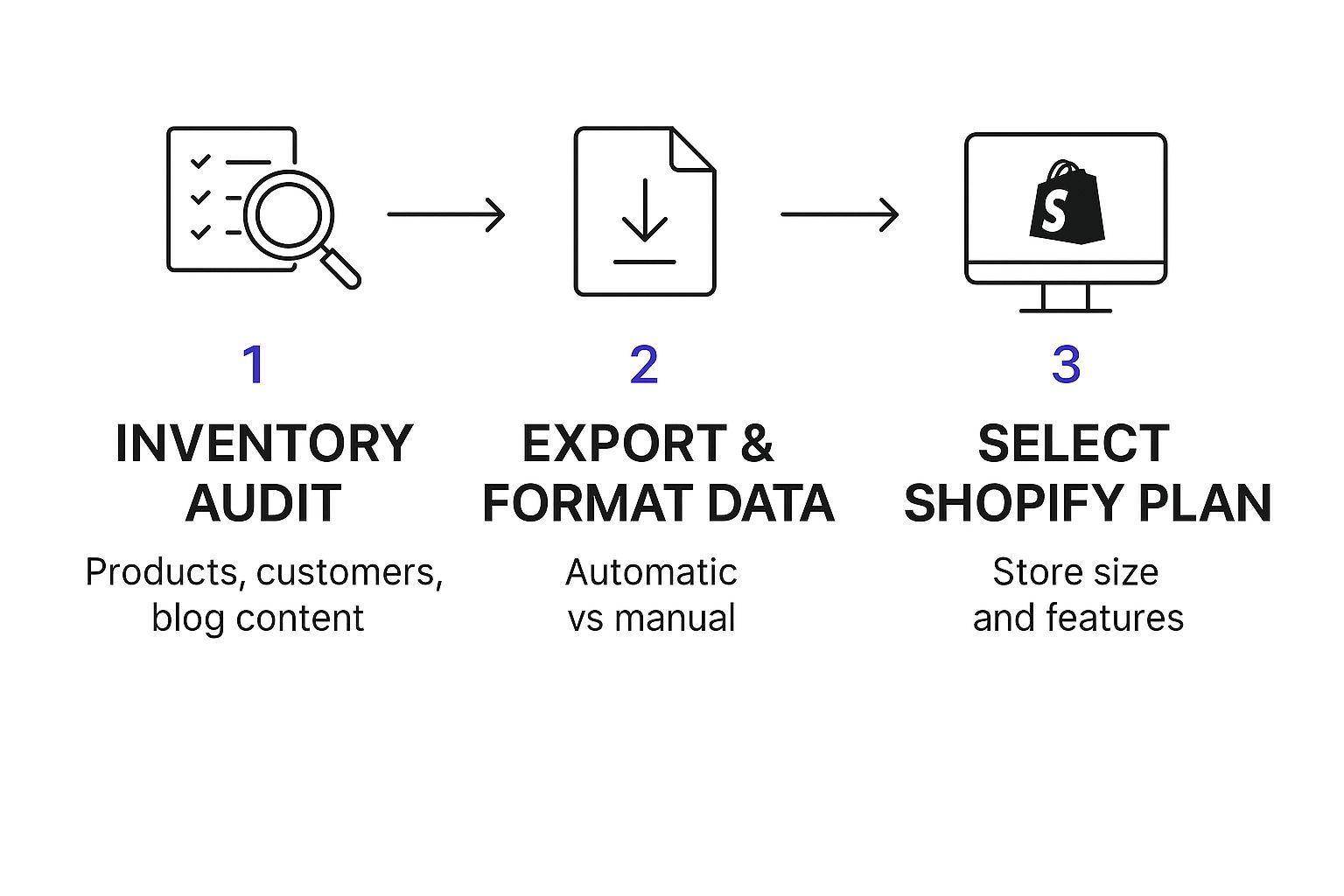
As you can see, a thorough inventory is the foundation. It tells you how complex the data transfer will be and what features you’ll need on the other side.
Set Realistic Timelines and Budgets
I know one of the biggest worries is how much this will cost and how long your store might be "down." The good news is that moving from Wix is usually much more affordable and straightforward than from other, more tangled platforms.
For a small or medium-sized store with around 100 to 1,000 products, you can realistically expect the cost to be somewhere between $150 to $500. This assumes you're using built-in import tools and are willing to do some manual cleanup. The process involves exporting CSV files from Wix, getting them formatted for Shopify, and making sure your SEO juice comes with you. You can find some more practical migration cost estimates on shopify.doran.app to get a better feel for it.
A common mistake is underestimating the time it takes for the manual stuff. Products can often be moved in big batches, but your blog posts, page content, and setting up new apps almost always require some hands-on time.
Choose Your Migration Method and Shopify Plan
Okay, with your inventory list and budget in hand, you can decide how you're actually going to do this thing. Are you going the DIY route with Shopify's CSV import tools? Or would you rather invest in a third-party app like LitExtension to automate more of the heavy lifting? For most smaller stores, a mix of CSV imports and some good old-fashioned copy-pasting is totally manageable.
Finally, it's time to pick your Shopify plan. Don't just look at the price tag; choose based on where your business is headed.
- Basic Shopify: Perfect if you're just starting out or have fairly simple needs.
- Shopify: This is the most popular plan for a reason. You get professional reporting and can have more staff accounts.
- Advanced Shopify: Best for businesses that are really starting to scale and need top-tier reporting and lower transaction fees.
Once you’ve gone through this checklist, you'll have a clear, actionable roadmap. You'll know exactly what's moving, how it's getting there, and what you'll need to make it happen. Suddenly, this massive project feels a lot more like a series of small, achievable steps.
Moving Your Data From Wix to Shopify

Alright, with a solid plan in your back pocket, it’s time to roll up your sleeves and get into the real work: the actual transfer from Wix to Shopify. This is where we get your valuable business data—your products, customers, and order history—from its old home to its new one. Don't worry, this part isn't as intimidating as it sounds.
You've got a few ways to tackle this, from a completely hands-on manual approach to using some pretty slick automation tools. Honestly, the right method for you comes down to the size of your store, how comfortable you are with spreadsheets, and what your budget looks like.
The Manual Route Using CSV Files
For most small to medium-sized stores, the tried-and-true method is exporting your data from Wix as CSV files and then importing those into Shopify. Think of a CSV file as a universal spreadsheet language that both platforms can understand perfectly.
Wix lets you export your core data, but you'll need to grab each piece separately. You’ll be working with three main exports:
- Products: This covers all the essentials like titles, descriptions, prices, SKUs, and images.
- Customers (Contacts): Here you'll find your customer names, emails, and addresses.
- Orders: This is your complete historical sales data.
The process is pretty straightforward. You just navigate to the right section in your Wix dashboard, select the data you want, and click "Export." Wix will package it all up into a CSV file for you to download.
Cleaning and Formatting Your Data
Here’s a step where a little bit of patience pays off big time. You can't just take the file Wix gives you and upload it straight to Shopify. Why? Because their spreadsheets are structured differently. You’ll need to do some reformatting first.
Open your exported Wix file in a program like Google Sheets or Microsoft Excel. Next, go download Shopify's own CSV template for whatever you're importing (e.g., the product template). Your job is to copy the data from your Wix export and paste it into the correct columns in the Shopify template. It's a bit like moving into a new house—you have to make sure the couch goes in the living room, not the kitchen.
Pro Tip: Pay very close attention to your product image URLs. Shopify needs a direct, publicly accessible link to each image to import them correctly. You might need to do some find-and-replace magic in your spreadsheet to get these just right, but it's crucial for a smooth import.
Once your data is perfectly organized in the Shopify template, you can head to the "Products" or "Customers" section in your Shopify admin, click "Import," and upload your shiny new file.
Manual Migration for Content Pages
While CSVs are fantastic for structured data like products, they won’t help you with your blog posts or static pages like "About Us" or FAQs. For these, the most reliable method is good old-fashioned copy-and-paste.
This is actually a great opportunity to review and refresh your content. As you move each blog post, you can reformat it to fit your new Shopify theme and double-check for any broken links or outdated information. It's a manual task, for sure, but it guarantees your content will look perfect in its new environment.
Using Migration Apps for an Automated Transfer
If the thought of wrestling with spreadsheets makes you break out in a cold sweat, you're in luck. There are some fantastic third-party apps that can automate the entire data transfer for you. Tools like LitExtension or Cart2Cart are built specifically for this job.
These services act as a bridge between your Wix and Shopify stores. You connect both accounts to the app, select exactly what data you want to move, and the tool handles all the complex mapping and transferring behind the scenes.
Here’s a quick breakdown of when an app might be the right call:
A huge driver for moving to Shopify is the need for more powerful e-commerce features and the ability to scale. In fact, around 80% of businesses migrating do so because they hit a wall with Wix's limitations, especially with large product catalogs and international sales. Shopify’s support for over 100 payment gateways and its advanced product management are crucial for handling high-volume sales and global markets—something Wix can struggle with during peak periods. For a closer look at these differences, you can find a deeper comparison of their features and growth potential on thetechclouds.com.
Ultimately, choosing between manual work, an app, or even hiring an expert comes down to a trade-off between your time, money, and the complexity of your store. For most people, a combination of CSV imports for products and a manual copy-paste for pages strikes the perfect balance.
Designing Your Store and Protecting Your SEO
With all your data—products, customers, and orders—now settled into Shopify, it’s time for the fun part. This is where you get to shape the look and feel of your new store and, crucially, protect all the hard-earned search engine clout you built on Wix.
Think of design and SEO as two sides of the same coin. A great design keeps customers engaged and drives sales, while solid SEO keeps them coming through the door in the first place. You can’t have one without the other for a successful transfer from Wix to Shopify.
Choosing and Customizing Your Shopify Theme
First things first: your old Wix theme can't come with you. The underlying technology is completely different, so you’ll need to pick a new one from the Shopify Theme Store. Honestly, this is a huge opportunity to level up your brand's look and use a design built from the ground up for e-commerce.
Here’s what I tell clients to look for when choosing a theme:
- How does it look on a phone? The majority of your traffic is probably mobile. Don’t just glance at the mobile preview; really click through it. Is it fast? Is the menu easy to use? Is the "buy" button obvious?
- Does it fit your industry? Shopify themes are often tailored for specific niches like fashion, home goods, or electronics. Picking one that aligns with your industry gives you a massive head start with a layout that makes sense for your products.
- What features are built-in? Do you have a massive catalog that needs a mega menu? Do you want a "quick view" option on your product grids? Make a list of your non-negotiables to help filter your options.
Once you’ve found "the one," the Shopify theme editor is your new best friend. You can tweak colors, swap fonts, and change layouts, all without needing to be a coding wizard. The goal is a clean, on-brand experience that makes it dead simple for people to buy from you.
Safeguarding Your SEO Rankings
Now for the most critical part of the entire migration: keeping your Google rankings. When you move platforms, all your URLs are going to change. If someone tries to visit an old Wix link, they'll hit a dead end—a "404 Not Found" page. This is a red flag for both users and search engines.
The fix? 301 redirects. A 301 redirect is just a permanent instruction that tells browsers and Google, "Hey, this page has moved. Here's the new address." It’s how you pass the SEO value from your old URLs to your new ones.
I can't stress this enough: skipping 301 redirects is the single most expensive mistake you can make. It’s like telling Google your most valuable pages just disappeared, and you can watch your traffic tank overnight.
You’ll need to map every important old Wix URL to its new Shopify home. It'll look something like this:
Setting these up in Shopify is straightforward. Just head to Online Store > Navigation > URL Redirects. Yes, it’s a manual job, but it is absolutely essential.
Migrating Your Meta Titles and Descriptions
Redirects handle the addresses, but you also need to make sure your search snippets look the same. That means migrating the meta titles and descriptions for your homepage, collections, and top products.
You can find and edit these for any item in Shopify under the "Search engine listing" section. Keeping them consistent tells Google that while the URL is new, the page's content and purpose haven't changed.
Protecting your search visibility is a huge piece of any migration puzzle. If you want to go deeper on this, there’s a fantastic guide on Mastering Ecommerce SEO Marketing that really gets into the weeds on effective strategies.
The Final SEO Check-Up
Once you go live, don't just assume everything worked. A quick post-launch audit will give you peace of mind that your SEO is intact.
Post-Migration SEO Audit Checklist:
- Test your top links: Manually type in a few of your most important old Wix URLs. Do they land on the correct new Shopify pages?
- Hunt for 404 errors: Use a tool like Screaming Frog or Ahrefs to crawl your new site and find any broken links you might have missed.
- Submit your new sitemap: Pop into Google Search Console and submit your new
sitemap.xmlfile. This nudges Google to crawl and index your new URLs much faster.
By pairing a sharp new design with a rock-solid SEO strategy, you’re not just moving your store—you’re setting it up for more sales and long-term growth.
Finalizing Setup and Launching Your Shopify Store

You're so close to the finish line. Your data has been moved over, the design looks sharp, and your SEO redirects are all set. Now it’s time for those final pre-launch checks that transform your new Shopify site into a fully functioning business.
This last part is all about making sure that when you do flip that switch, everything works perfectly for your very first customer and everyone who follows.
Configuring Your Core Business Settings
Before anyone can buy from you, you've got to sort out the engine room of your store—the settings that handle payments, shipping, and taxes. These aren't just technical details; they're the foundation of your store's profitability and legal footing.
Head over to your Shopify admin dashboard and click on "Settings" in the bottom-left corner. This is where the magic happens.
First up, Payments. The most straightforward option is Shopify Payments, which lets you accept all major credit cards right out of the box. You can also hook up other gateways like PayPal or Stripe if you prefer. This is a non-negotiable step to actually get paid.
Next, you’ll want to dive into Shipping and delivery. This is where you’ll set up your shipping zones. For example, you could create a flat rate for domestic orders and then different, weight-based rates for your international customers. Getting this right is crucial—otherwise, you could easily lose money on shipping.
Finally, you have to tackle Taxes and duties. Shopify does a pretty good job of helping automate tax collection based on your location, but it's vital to get this configured properly. Sales tax is a serious legal requirement for most businesses, and mistakes here can be a massive headache later on.
A common mistake I see when people move from Wix to Shopify is rushing through these backend settings. Take your time. Double-check every single rate and rule. A tiny error in your shipping or tax setup can lead to some very unhappy customers and logistical nightmares after you launch.
Equipping Your Store with Essential Apps
One of the biggest perks of moving to Shopify is its incredible App Store, which boasts over 8,000 apps. You can find a powerful tool to replace just about any feature you had on Wix, and often it’s a significant upgrade.
Think about the core functions your old Wix store depended on. Here are a few key areas you'll want to cover with new apps:
- Email Marketing: Look at apps like Klaviyo or Omnisend. They integrate deeply with Shopify, letting you build powerful automated emails for things like abandoned carts, welcome sequences, and post-purchase follow-ups.
- Customer Reviews: Tools like Judge.me or Loox make it incredibly easy to gather and showcase product reviews. This kind of social proof is pure gold for boosting conversion rates.
- Pop-Ups and Forms: If you were using pop-ups to collect emails, an app like Privy can replicate that with even more advanced targeting options to help you build your list faster.
Once your new Shopify store is live and bringing in sales, your focus will naturally shift to growth. A big part of that is making sure your customers stick around. Learning about effective customer retention strategies is a great next step to keep your hard-won audience coming back for more.
The All-Important Pre-Launch Test
Please, whatever you do, don't launch your store without testing it yourself. The entire point of this is to catch any bugs, typos, or broken links before a real customer does. So grab your own credit card and walk through this checklist as if you were a brand-new shopper.
- Place a Test Order: Go through the whole checkout experience from start to finish. Add something to your cart, enter your shipping info, and pay for it. This confirms your payment gateway is working.
- Refund the Test Order: As soon as the order goes through, hop into your Shopify admin and process a full refund. This ensures your refund system is ready to go.
- Check All Links and Forms: Click on every single link in your main menu, your footer, and on your key pages. Don’t forget to fill out your contact form to make sure you actually receive the submissions.
- Test on Mobile: Pull up your site on your phone. Is it easy to browse? Is the checkout process clunky or smooth on a smaller screen? Be critical here.
This hands-on testing is your final quality check. It is so much better for you to find a broken page than for a potential customer to.
Once you've run through your tests and you're confident everything is humming along perfectly, it's time to connect your domain and officially go live. This is the final step that completes your transfer from Wix to Shopify and opens the door to a more powerful, scalable future for your business.
Got Questions About Moving From Wix to Shopify?
Making the jump from Wix to Shopify is a big step, and it's totally normal to have a few questions swirling around before you dive in. Even the most detailed plan can leave you wondering about a few "what-ifs." Let's clear up some of the most common concerns I hear from merchants so you can move forward with confidence.
How Long Will This Whole Thing Take?
Honestly, it really depends on the size and complexity of your store. There's no one-size-fits-all answer here.
If you have a small shop—say, under 100 products and just a few content pages—you could probably knock this out over a long weekend. It's a solid project for a dedicated DIY-er.
On the other hand, if you're dealing with thousands of products, all with their own variants, plus years of blog posts, you'll want to give yourself more breathing room. For most small to mid-sized businesses, a realistic timeframe is anywhere from one to two weeks of focused effort. The real time-suck isn't usually the data import itself; it's the prep work, cleaning up your data, and thorough testing.
Will My Google Rankings Tank After I Migrate?
This is the big one, right? You've worked hard for your spot on Google, and the last thing you want is to lose it.
Here's the good news: if you do this right, you shouldn't see any major, long-term damage to your SEO. It's common to see a little temporary wobble in your rankings as Google figures out the new site, but a smart migration plan will protect your visibility.
The absolute most critical piece of the puzzle is setting up your 301 redirects. This is non-negotiable. Redirects tell search engines, "Hey, this page moved over here," passing along the vast majority of its SEO authority to the new Shopify URL. You'll also want to bring over all your meta titles and descriptions to keep things consistent for Google.
Can I Just Use My Old Wix Theme on Shopify?
I get this question all the time, but unfortunately, the answer is no. You can't just copy and paste your Wix theme over to Shopify. The two platforms are built on completely different foundations and speak different programming languages.
Think of it like trying to play a PlayStation game on an Xbox—they're just not built to work together. But look at this as a silver lining! It's the perfect chance to give your brand a fresh look and feel. The Shopify Theme Store is packed with themes designed from the ground up for mobile shopping and maximizing sales.
What Data Gets Left Behind in an Automated Move?
While you can get the heart of your store—your products, customers, and basic order history—out of Wix with a CSV export, some things just won't come along for the ride automatically. Knowing what these are ahead of time saves a lot of headaches.
Here’s a quick rundown of what you'll likely need to handle manually:
- Customer Passwords: This is a big one for security. Passwords can't be migrated. Your customers will have to set up new ones when they log into your Shopify store for the first time.
- Blog Comments: Any comments left on your Wix blog posts usually stay behind.
- Wix App Data: Information tied to specific Wix apps, like a loyalty program or a photo gallery app, won't transfer. You'll need to find equivalent apps in the Shopify App Store and set them up from scratch.
- Site Design and Pages: Your theme, site layout, and all those static pages (like "About Us," "Contact," and your policies) will need to be rebuilt in Shopify.
Planning for this manual work is key. When you build that time into your project plan from the start, you're setting yourself up for a much smoother transition.
Feeling like this is a lot to handle? The technical side of a migration can be a beast. The team at Wand Websites lives and breathes this stuff, and we specialize in making the move from Wix to Shopify completely painless. We'll do the heavy lifting so you can keep your focus where it belongs—on your business. Learn more about our seamless migration services.
