
Shopify vs WooCommerce vs BigCommerce A Small Business Guide

At their core, the biggest difference between Shopify, WooCommerce, and BigCommerce boils down to a classic trade-off. Shopify is the easiest to use, WooCommerce gives you the most creative freedom, and BigCommerce packs a serious punch with powerful built-in features for growing businesses. The right choice really depends on what you value most: simplicity, total control, or out-of-the-box power.
Choosing Your First Ecommerce Platform
Making the leap from a marketplace like Etsy or launching your very first online store is a huge step. The platform you pick will be the bedrock of your business, shaping everything from your day-to-day tasks to your ability to grow down the road. The whole Shopify vs. WooCommerce vs. BigCommerce debate isn't about finding the single "best" platform—it’s about finding the one that’s best for you.
This decision almost always starts with one fundamental question: do you want a hosted or a self-hosted platform?
- Hosted Platforms (Shopify & BigCommerce): These are all-in-one packages. For a monthly fee, the company takes care of all the technical headaches—hosting, security, updates, you name it. It's like renting a beautiful, fully-furnished storefront in a high-traffic shopping center.
- Self-Hosted Platforms (WooCommerce): This is an open-source plugin that works with WordPress. It gives you complete control, but you're in charge of finding your own hosting, handling security, and running updates. Think of this as buying your own plot of land and building your dream store from the ground up.
This infographic does a great job of visualizing which platform might be the right fit based on where you are with your business and your comfort level with tech.
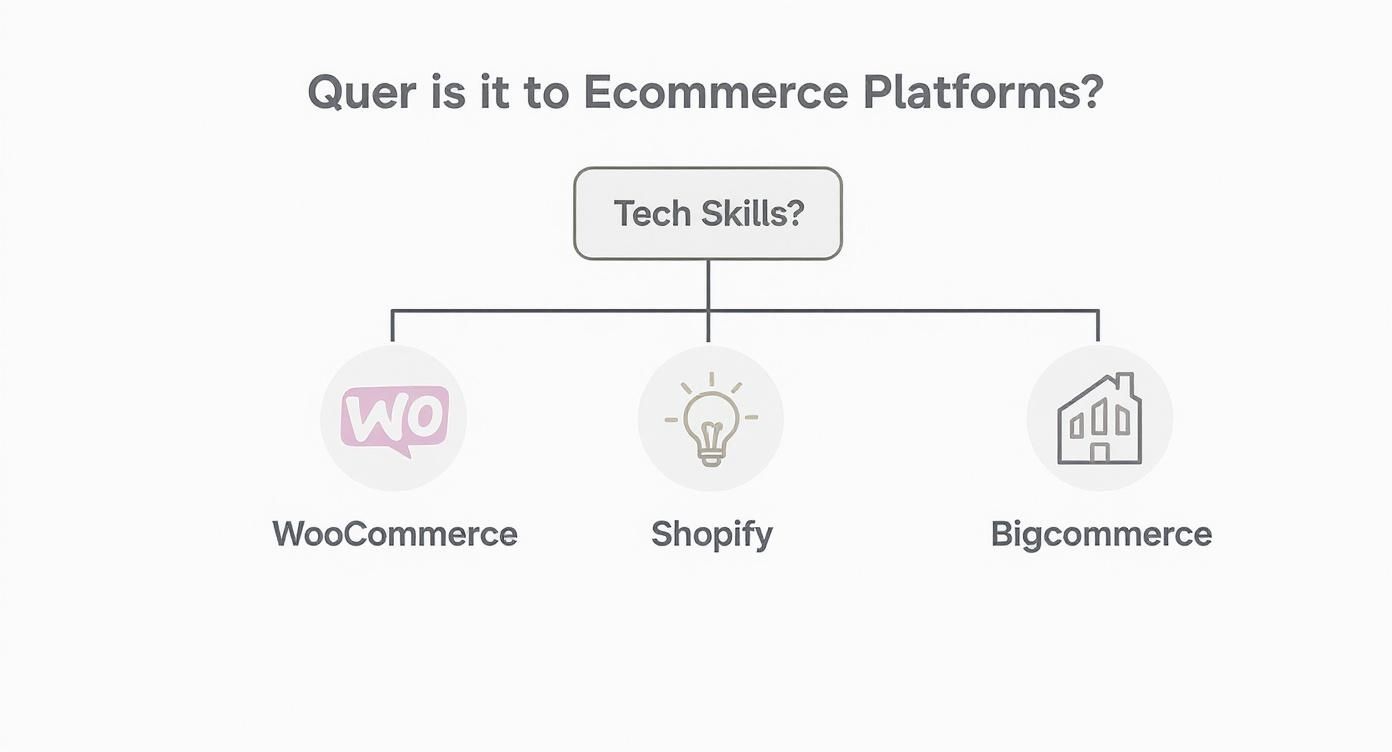
As you can see, it clearly points people who are comfortable with tech toward WooCommerce and those who prioritize ease of use toward Shopify, with BigCommerce positioned as a great option for more established sellers.
A Quick Glance at the Contenders
To set the stage for the deeper comparisons ahead, let's start with a high-level look at our three contenders. Each platform has its own personality, built for different kinds of entrepreneurs.
Here's a quick summary table that cuts right to the chase, outlining their core differences to help you see where you might fit.
Quick Look Shopify vs WooCommerce vs BigCommerce
This table gives you a bird's-eye view, but the real magic is in the details. Now, let's dig into what these differences actually mean for your business.
Getting to Know the Big Three
To really nail the Shopify vs. WooCommerce vs. BigCommerce decision, you first need to understand the personality of each platform. They weren't built for the same person. Each has a distinct flavor and was designed to solve a specific set of problems for a certain type of business owner. Once you get their core philosophy, you'll see where your own shop fits in.
Shopify is the undisputed champ for direct-to-consumer (DTC) brands that just want to get up and running—fast. The entire platform is built around making your life simple and getting your products online with zero fuss.
You can see this ethos right on their homepage; it's clean, simple, and all about getting started.
This user-friendly approach is why it’s the go-to for so many first-timers, Etsy sellers branching out, and creative entrepreneurs who would rather focus on products than code.
Shopify: The All-in-One Powerhouse
Shopify’s grip on the market is undeniable. It holds 10.32% of the global e-commerce platform market share. Even more telling is that it powers 28.8% of the top one million e-commerce sites, which tells you it’s a favorite among serious, high-growth brands. Its success is built on its "all-in-one" hosted model that handles the tech so you don't have to.
When you're comparing platforms, a huge factor is business scalability, and this is where Shopify truly shines. It offers a smooth, clear path from your first sale on a basic plan all the way up to Shopify Plus, which is built for massive enterprise operations.
Shopify's real magic is its ability to grow alongside your business. It’s simple enough for a complete beginner but robust enough to handle a multi-million dollar brand, all without you ever needing to become a developer.
WooCommerce: The DIY Dream for WordPress Lovers
WooCommerce plays in a totally different sandbox. It's not a standalone platform but a plugin for WordPress, the world's most popular website builder. This makes it the natural next step for anyone already comfortable with WordPress—think bloggers, artists, or service providers looking to add a shop to their existing site.
Its main draw? Total, unlimited customization. Since it's open-source, you can change absolutely anything. This freedom is a massive plus for merchants with very specific product needs or those wanting to create a truly unique shopping experience from the ground up. The catch is that you're on the hook for everything: hosting, security, and all the technical upkeep.
BigCommerce: The "Batteries-Included" Scaler
BigCommerce carves out its space by targeting established retailers and businesses managing large, often complex, product catalogs. Its biggest advantage is the huge number of powerful features that come standard, right out of the box, which cuts down on your reliance on expensive third-party apps.
This makes it a fantastic option for merchants who know they need advanced tools from day one. Some of its most valuable built-in features include:
- Advanced Product Options: Effortlessly handle thousands of products with complex variations without needing extra plugins.
- Multi-Channel Selling: Sell directly on other marketplaces and social platforms, all managed from one central dashboard.
- Zero Platform Transaction Fees: BigCommerce never takes a cut of your sales, no matter which payment processor you use.
BigCommerce is the perfect fit for a business that's feeling constrained by simpler platforms. It offers a happy medium, giving you more built-in power than Shopify without the full-on technical responsibility of WooCommerce.
So, What's This Actually Going to Cost You?
When you’re looking at Shopify vs WooCommerce vs BigCommerce, the price on the box is just the starting line. The "true cost" of running your store is a whole different ballgame—it’s not just the monthly fee, but a mix of payment processing charges, must-have apps, and other bits and pieces. Getting a handle on this total cost is the key to picking a platform that you can actually afford as you grow.
Hosted platforms like Shopify and BigCommerce make it seem simple with their neat monthly tiers, but what you get for your money varies wildly between them. Then you have WooCommerce, which looks free on the surface, but you quickly realize you’re paying for everything à la carte.
Let's dig into what you can realistically expect to spend with each one.
Shopify Pricing and Fees
Shopify keeps its pricing nice and simple, which is a huge part of its appeal. Most people start with the Basic plan, which is usually around $39/month. But the real cost to keep an eye on? Transaction fees.
Shopify really wants you to use their own payment processor, Shopify Payments. If you do, they’ll drop their own platform transaction fees completely. But if you decide to use an outside gateway like PayPal or Stripe, they’ll add their own fee to every single sale. This fee starts at 2% on the Basic plan and goes down to 0.6% on the Advanced plan, and that’s on top of what PayPal or Stripe is already charging you.
Honestly, for most new shops, using Shopify Payments is a no-brainer. It keeps your bookkeeping simple and saves you from getting dinged with extra fees on every order, which absolutely adds up over time.
BigCommerce Pricing and Fees
BigCommerce also has plans that start at around $39/month, right in line with Shopify. But it has one massive advantage when it comes to cost.
BigCommerce charges zero platform transaction fees. It doesn't matter which payment gateway you use. This is huge. It gives you the freedom to shop around and pick the processor that gives you the best rates, without BigCommerce penalizing you for it. As your sales grow, this can save you a serious amount of money.
The catch? BigCommerce has annual sales thresholds. Each plan has a cap on how much revenue you can process. Once you cross that line, you're automatically bumped up to the next, more expensive plan. It’s a cost that’s tied to your success, so it's a good problem to have, but you absolutely need to plan for it.
The Variable Costs of WooCommerce
This is where things get tricky. The main WooCommerce plugin is 100% free, which is its biggest draw. You can get started for next to nothing. But from there, the total cost can go in a million different directions because you’re responsible for putting all the pieces together yourself.
Here’s a realistic breakdown of what you’ll need to budget for:
- Web Hosting: This will be your biggest ongoing expense. A good, reliable shared hosting plan that can handle an ecommerce site will run you $15 to $50 a month. If you get a lot of traffic, you'll need a more powerful (and more expensive) solution.
- Domain Name: Pretty standard stuff here. Expect to pay about $15 per year for your
.com. - Premium Theme: Sure, there are free themes, but a professional premium theme with good support is a smart investment. That’ll be a one-time cost of $50 to $200.
- Essential Plugins: Many features that are standard in Shopify and BigCommerce require paid plugins in WooCommerce. Think payment gateways (like Stripe for WooCommerce), advanced shipping calculators, or extra security. This can easily add up to $200+ per year in subscriptions.
While WooCommerce can definitely be the cheapest way to start if you’re scrappy and don’t mind getting your hands dirty, the costs for solid hosting and premium plugins can quickly catch up to a basic Shopify plan. In fact, one study found that over five years, the total cost of a WooCommerce store can end up being 57% higher than Shopify simply because all those little operational costs start to pile up.
Ease of Use vs. Technical Flexibility
When you’re weighing Shopify vs. WooCommerce vs. BigCommerce, you're really deciding on a core philosophy for your business. It all boils down to a classic trade-off: do you want a simple, guided path that gets you selling fast, or do you crave total technical freedom to build something uniquely yours?
Each platform has a very different answer to that question.
For beginners, side-hustlers, or anyone who just wants to get selling without the fuss, Shopify is the undisputed champ of simplicity. The entire platform is engineered to eliminate friction. Setting up a store is a guided, step-by-step journey, and the dashboard is clean, logical, and just plain makes sense. You never have to think about hosting, security patches, or server maintenance—Shopify handles all of that behind the scenes.
This all-in-one approach is a game-changer. It means you can go from a cool product idea to a polished, fully functioning online store in a single afternoon. It's the perfect fit if you want to focus 100% on your products and marketing, not on being a part-time IT manager.
The Shopify Experience
On a day-to-day basis, running a Shopify store feels effortless. Adding a product, creating a discount code, or updating your homepage banner are all simple tasks that don't require you to crack open a user manual. Its magic lies in that curated, controlled environment where things just work.
But that simplicity comes with a trade-off. While the Shopify App Store gives you plenty of ways to add new features, you are always playing in Shopify's sandbox. Want to customize your checkout page beyond adding a logo? That’s going to require an upgrade to the enterprise-level Shopify Plus plan, which comes with a hefty price tag.
WooCommerce: The Path to Total Control
On the complete other end of the spectrum, you’ll find WooCommerce. As a plugin for WordPress, it literally hands you the keys to the entire kingdom. This is the platform for the merchant who wants limitless customization and doesn't mind rolling up their sleeves.
The setup is definitely more involved. You're responsible for finding your own web hosting, installing WordPress, and then configuring the WooCommerce plugin. That initial hurdle, though, is your ticket to absolute freedom.
Want to design a wild, one-of-a-kind product page? Build a completely custom checkout flow? Add niche functionality without paying a monthly app fee? If you can dream it (and have the skills or a developer on call), WooCommerce lets you build it.
WooCommerce’s real power is its open-source nature. You own your data, you control your code, and you’re never walled in by a platform’s rules. This is fantastic for businesses with very specific needs or anyone looking to build a massive content-rich brand right alongside their shop.
It's no accident that WooCommerce is built on WordPress, the platform powering over 43% of all websites. The official plugin directory boasts over 60,000 plugins, dwarfing Shopify's 8,000+ apps. This gives you an incredible arsenal of tools, though it does mean you’re responsible for the setup and ongoing maintenance. You can dig into more Shopify vs WooCommerce statistics on ElectroIQ.com to see the scale.
BigCommerce: The Hybrid Approach
BigCommerce smartly carves out the middle ground. It offers more built-in horsepower than Shopify without saddling you with the self-hosting headaches of WooCommerce. It's a hosted platform, so you get that same peace of mind about security and updates, but it’s clearly built for a more established seller.
Its dashboard is more complex than Shopify’s for a simple reason: it crams more advanced features into the core platform right out of the box. Things like handling complex product variations or managing sales across different channels are native features, not paid add-ons.
This makes BigCommerce an excellent choice for established businesses that are starting to feel constrained by simpler platforms but aren't quite ready to take on the full technical load of a self-hosted solution like WooCommerce.
Built-In Features vs Third-Party Apps
When you’re choosing between Shopify, WooCommerce, and BigCommerce, you’re really choosing a philosophy for how to build your store. Do you want a "batteries-included" experience with tons of powerful tools right from the get-go? Or would you prefer a clean slate that you can build upon with apps and plugins? This decision has a huge impact on your monthly costs, your daily tasks, and what your store can do down the road.
Each platform has a completely different take on this. One gives you a powerhouse foundation, another offers a polished, curated app store, and the third hands you an open-ended library where you can find a plugin for just about anything you can dream up.

Getting a handle on these core differences is key to avoiding surprise costs and tech headaches later on. Let’s break down how each one approaches its core features.
H3: BigCommerce: The Feature-Packed Foundation
BigCommerce’s whole strategy is to pack as much powerful functionality as possible right into the core platform. This "features-first" approach is its biggest selling point in the Shopify vs WooCommerce vs BigCommerce debate. The idea is to make you less reliant on paid third-party apps, which keeps your tech stack simpler and your monthly bills predictable.
This is a massive plus for anyone with a large or complex inventory. BigCommerce includes some seriously robust, native tools that would easily cost you extra on other platforms:
- Advanced Product Options: You can create and manage products with hundreds of variants, add custom fields, and set up complex rules—all without a single add-on.
- Multi-Storefront Management: Sell across different brands or in different regions from one single dashboard. That’s a feature usually reserved for pricey enterprise plans elsewhere.
- Built-in Quoting: This is a game-changer for B2B sellers, letting customers request custom quotes directly from your product pages.
This approach is really built for merchants who know they need sophisticated tools from day one. BigCommerce’s strengths are its fantastic multichannel selling options, the complete absence of transaction fees on all plans, and inventory tools built for sellers juggling thousands of SKUs. While its overall market share is smaller, its focus on built-in power has made it a favorite for serious retailers. You can learn more about the e-commerce platform market on WPmet.com.
H3: Shopify: The Curated App Store Ecosystem
Shopify takes a much leaner approach to its core platform. It focuses on making the absolute essentials incredibly polished and ridiculously easy to use. The real magic of Shopify is unlocked through its world-class App Store, which is home to over 8,000 high-quality, vetted applications.
This model is perfect for merchants who want to start simple and then add features as their business grows. Instead of hitting you with a dozen tools you might never use, Shopify lets you handpick the exact functionality you want, right when you need it. This could mean adding a loyalty program, setting up product subscriptions, or creating advanced pop-up campaigns.
Shopify’s App Store is its superpower. The apps are generally well-designed, integrate seamlessly, and are supported by their developers. The trade-off is that many of the best apps come with a monthly subscription fee, which can add up quickly.
This app-first model gives you incredible flexibility, but it definitely requires you to budget carefully. A basic Shopify plan can easily balloon in price once you add three or four essential paid apps just to get the functionality you need.
H3: WooCommerce: The Endless Plugin Universe
WooCommerce runs on a completely open-source philosophy, giving you access to a massive library of over 60,000 plugins. Seriously, if you can imagine a feature, there’s almost certainly a plugin for it, and you can often find both free and paid versions. This gives you unparalleled freedom to build a truly one-of-a-kind store.
But all that freedom comes with a lot of responsibility. Unlike Shopify's carefully curated App Store, the WooCommerce plugin library is a bit like the Wild West. It's on you to handle a few key things:
- Vetting Plugins: You have to do your homework—researching developers, reading reviews, and checking for recent updates to make sure a plugin is reliable and secure.
- Managing Compatibility: You need to make sure all your plugins, your theme, and your version of WordPress play nicely together without causing conflicts.
- Handling Updates: You’re the one in charge of keeping every single plugin updated to patch security holes and maintain functionality.
This DIY approach can be incredibly cost-effective if you're technically confident and don't mind getting your hands dirty. For anyone who prefers a more managed, hands-off environment, the time spent troubleshooting plugin conflicts can quickly erase any initial cost savings.
H3: Core Functionality Built-In vs App Store
To see this difference in action, let’s look at how each platform handles common e-commerce needs—either natively or by relying on an app.
As you can see, BigCommerce bundles a lot of premium functionality right into its plans. Shopify and WooCommerce give you the freedom to pick and choose, but that often means factoring in the extra cost and management of third-party extensions.
So, Which Platform Is Right for You?
After digging into the nitty-gritty of costs, features, and what it’s really like to use each platform day-to-day, the Shopify vs. WooCommerce vs. BigCommerce debate should be looking a lot clearer. There’s no single "best" platform—the right choice comes down to your technical comfort, your business goals, and how you see yourself growing.
Think of your e-commerce platform as a launchpad, not an anchor. Let's boil it all down so you can make your final call with confidence.
Choose Shopify for Simplicity and Speed
If you’re a creative entrepreneur, an Etsy seller finally taking the leap, or a small business owner who just wants to get selling fast, Shopify is your answer. Hands down.
It’s the quickest and most straightforward path from idea to a beautiful, professional store. Seriously, you can get a great-looking site live over a weekend without touching a single line of code. For anyone who wants to pour their energy into making products and marketing them, Shopify takes care of all the tech headaches—from security patches to server maintenance.
Shopify's magic is in how it gets out of your way. It’s built for makers and marketers who want to sell stuff, not spend their weekends troubleshooting plugins or worrying about website hosting. For a quick launch and pure ease of use, it's unmatched.
Choose WooCommerce for Total Control
For the blogger who wants to sell products alongside their content, the tech-savvy owner who loves to tinker, or anyone who demands absolute control, WooCommerce is the way to go.
Because it’s built on WordPress, it offers you complete freedom to design a truly one-of-a-kind store that's woven directly into your content. You own all your data, you control every bit of the code, and you have access to a universe of over 60,000 plugins to add literally any feature you can dream up. It’s a bit more hands-on—you’ll be managing your own hosting and security—but the payoff is limitless potential.
Choose BigCommerce for Built-In Power
If you're already an established business, have a big product catalog, and need heavy-duty features without nickel-and-diming yourself on apps, BigCommerce is your platform.
It really shines by including advanced tools right out of the box—things like complex product variations, managing multiple storefronts from one dashboard, and B2B features. Plus, its zero-transaction-fee model is a huge win for scaling businesses that need predictable costs. It’s the perfect middle ground for merchants who have outgrown the simpler platforms but aren't quite ready for the technical deep-dive of a self-hosted solution.
No matter which platform you ultimately choose, your store's profitability will hinge on effectively mastering conversion rate optimization to turn visitors into buyers.
At the end of the day, this choice really shapes how you’ll run your business. If you’re ready to build a high-performing Shopify store designed for growth, the team at Wand Websites specializes in helping businesses like yours make that leap.
Got Questions? We've Got Answers
Making the final call between Shopify, WooCommerce, and BigCommerce can be tough. There are always a few lingering questions that pop up. Let's clear up some of the most common ones so you can move forward with confidence.
Can I Just Switch Platforms Later On?
Technically, yes, but it's a huge undertaking. Migrating your store isn't like just forwarding your mail. You're moving products, customer data, and all that precious order history, and one wrong move can tank your SEO rankings or create a mess for your customers.
Honestly, it’s much better to pick the platform that aligns with where you want to be in a few years. It'll save you a world of headache and expense down the road.
Which Platform is Best for SEO?
Ah, the million-dollar question. If you want absolute, fine-tuned control over every last SEO detail, then WooCommerce is the undisputed king. It’s built on WordPress, and with a plugin like Yoast, you can tweak everything.
But here's the thing: most businesses don't need that level of control. Both Shopify and BigCommerce come with fantastic built-in SEO tools that are more than enough to get you ranking on Google. Success here is less about the platform and more about your own strategy.
Your platform gives you the tools, but great SEO comes from writing killer product descriptions, creating useful content, and earning quality links. No platform can do that work for you.
So, Is WooCommerce Actually Free?
The plugin itself is free, yes. But running a real, professional store on it? Definitely not. Think of it this way: with Shopify and BigCommerce, you're paying for an all-in-one package. With WooCommerce, you're buying all the pieces separately.
You'll have to pay for things like:
- Web Hosting: Expect $15-$50+ per month for a plan that won't crash on you.
- Domain Name: About $15 a year.
- Security (SSL Certificate): Sometimes your host includes this, but don't count on it.
- Premium Themes & Plugins: This is where costs can really add up, often running into hundreds per year.
While it might seem cheaper at first glance, the total cost to run a solid WooCommerce store often ends up being pretty similar to a basic Shopify or BigCommerce plan.
Ready to build a high-performing Shopify store designed for growth? The experts at Wand Websites specialize in helping businesses like yours make the leap from marketplaces to a powerful, independent online presence. Learn more about our e-commerce solutions at wandwebsites.com and start building your brand today.
