
How to Improve Website Speed for a Faster Site


Want to speed up your website? The big three are optimizing images, leveraging browser caching, and minifying your site's code. A sluggish website is a serious roadblock, but with a few proven tweaks, you can create a much smoother user experience that actually helps your business grow.
Why Your Website Speed Matters More Than Ever
Before we get into the nuts and bolts of how to fix a slow site, let's talk about why it's so critical. A website that drags its feet isn't just a minor inconvenience anymore—it's a direct threat to your sales, visitor engagement, and even your search engine rankings. In the fast-paced world of e-commerce, every millisecond truly counts.
The Real Cost of a Slow Website
When was the last time you clicked a link and just stared at a blank screen, waiting? You probably bailed, right? Your customers are exactly the same. A delay of just a couple of seconds can send your bounce rate soaring and your conversion rate into a nosedive.
This isn't just a hunch; the data backs it up. Website speed has a direct, measurable impact on your bottom line. It shapes everything from how customers perceive your brand to how Google decides to rank you.
A B2B site that loads in one second achieves a conversion rate three times higher than one that loads in five seconds. This effect is even more pronounced than in B2C, where one-second load times still double conversion rates compared to five-second load times.
The takeaway here is simple: faster sites make more money. For any online business, that translates to more products in the cart, more completed checkouts, and more customers coming back for more.
How User Expectations Have Changed
Our collective digital patience is wearing thin. While the global average web page load time sits around 3.21 seconds, what users expect is a whole different story. Today, anything over three seconds feels like an eternity, and a load time under one second has become the new gold standard, especially on mobile.
This is a world away from the early days of the internet, where waiting was just part of the deal. Now, a snappy, responsive site is a fundamental part of your brand's credibility.
Speed as a Competitive Advantage
Having a fast website isn't just a "nice-to-have" feature; it's a powerful competitive weapon. When your site loads quicker than your competitor's, you've already made a better first impression. This initial win translates into several huge benefits:
- Higher Search Rankings: Google is very open about using page speed and Core Web Vitals as a ranking factor. A faster site can lead directly to better visibility in search results, which means more organic traffic for you.
- Improved User Engagement: Visitors are far more likely to click around, explore different pages, and view more products when a site responds instantly.
- Increased Conversion Rates: A seamless, quick checkout process is one of the best ways to reduce cart abandonment and encourage those on-the-fence purchases, directly boosting your revenue.
Optimizing your site's speed isn't just a technical chore. It's about building a better customer experience from the ground up—one that pays off in loyalty and sales. For a deeper dive into this, you might find this guide on proven ways to boost website performance helpful.
Diagnosing Your Speed Issues with the Right Tools
You can't fix a problem you don’t truly understand. Before you even think about tweaking code or compressing images, you have to pinpoint exactly what’s causing your site to lag. The real first step is moving from that vague, frustrating feeling of "my site is slow" to a specific, actionable diagnosis.
This is where performance testing tools become your best friends. But just running a single test and glancing at the score isn't enough. The magic happens when you learn how to interpret the results and turn all that data into a clear to-do list.
Interpreting Your Speed Test Results
When you plug your site into a tool like Google PageSpeed Insights or GTmetrix, you're immediately hit with a flood of scores, colors, and metrics. It’s easy to get overwhelmed. My advice? Forget about chasing a perfect 100/100 score, at least at first.
Instead, dive straight into the specific recommendations the tool provides. This is your roadmap. More often than not, they’ll point you toward obvious culprits like oversized images or clunky code—these are fantastic starting points for some quick wins.
The goal is to shift from a vague feeling of 'my site is slow' to a specific, actionable diagnosis like 'the main stylesheet is render-blocking, and my product images are too large.'
Think of it like a doctor’s visit. The top-line score is just the general health assessment. The detailed recommendations are the actual prescriptions you need to get better.
Understanding Core Web Vitals
Google’s Core Web Vitals are a huge deal because they measure what your visitors actually experience. They’re designed to quantify the real-world user experience, which is why understanding them is so important for diagnosing speed issues.
- Largest Contentful Paint (LCP): How long does it take for the biggest thing on your page to show up? This could be a hero image or a large block of text. A poor LCP score means your site feels slow because people are just staring at a blank or incomplete screen.
- First Input Delay (FID): This measures how quickly your site reacts when someone tries to do something for the first time, like clicking a button. A high FID is pure frustration for users, making your site feel unresponsive and broken.
- Cumulative Layout Shift (CLS): Ever tried to click a link, only to have an ad load and push the page down, causing you to click the wrong thing? That annoying jumpiness is what CLS measures.
Focusing on these three vitals helps you prioritize changes that directly improve how customers perceive your site. A great starting point is to aim for an LCP under 2.5 seconds.
Reading a Waterfall Chart
This is my favorite part. One of the most powerful diagnostic tools you’ll find in GTmetrix or Pingdom is the waterfall chart. It might look a little intimidating at first glance, but it’s really just a simple, chronological list of every single file your browser had to download to build your page.
Each row is an asset—an image, a script, a font. The length of the bar tells you how long it took to download. This visual breakdown makes spotting bottlenecks incredibly easy.
Keep an eye out for unusually long bars. Is it that massive hero image you love? A third-party script from a marketing app? Sometimes you'll see a long, thin bar right at the beginning, which often points to a slow Time to First Byte (TTFB) and a server-side problem. By identifying the slowest-loading assets, you know exactly where to direct your energy.
And if you want to go beyond the basics to ensure every part of your site is optimized, this comprehensive technical SEO audit checklist is a fantastic resource.
Mastering Image and Media Optimization
If there's one thing I've learned from years of speeding up websites, it's that images and media are almost always the main culprits behind slow load times. They're the lifeblood of any good site, especially in e-commerce, but they are heavy. Getting your media optimization right isn't just a suggestion; it's a non-negotiable part of the process.
Optimizing your media doesn't mean you have to settle for grainy, amateur-looking visuals. The real art is striking that perfect balance between stunning quality and lightning-fast performance, so your product shots sell themselves without bogging down your site.
Choose the Right File Format
Before you even touch a compression tool, your first move is picking the right file format. This one choice can make a massive difference in file size. Think of it like using the right tool for a job—you wouldn't bring a sledgehammer to hang a picture frame.
- JPEG: This is your workhorse for most product photos and complex images with a wide range of colors. It offers a solid mix of quality and compression.
- WebP: This is the modern successor to JPEG. A WebP file can deliver the same visual quality as a JPEG but at a much smaller size—often 25-34% smaller. With nearly all modern browsers now supporting it, WebP is a fantastic choice for boosting performance.
- PNG: Use this for graphics that need a transparent background, like your logo or certain icons.
- SVG: For simple graphics like logos and icons that don't need photo-realism, SVG is king. Because they're just code, SVGs are tiny and can be scaled to any size without ever getting blurry.
Compress Your Images Intelligently
Once you've got the right format, it's time to compress. This is where you shrink the file size, but it's a delicate dance. Compress too aggressively, and your beautiful product photos look pixelated and cheap. Don't compress enough, and you're back to a slow-loading page.
The good news? You don't need to be a Photoshop guru anymore.
For one-off images, I often use online tools like TinyPNG or Google's Squoosh. You just drag and drop your image, and they use smart algorithms to shrink the file without a noticeable drop in quality. If you're using a platform like Shopify or WordPress, there are incredible apps and plugins that automate this whole process, compressing images as you upload them. It's a huge time-saver.
I always tell my clients to aim for product images under 200 KB and larger hero images under 500 KB. Hitting this target is completely achievable and makes a massive impact on load times without hurting the visual quality you need to make sales.
Trust me, a single unoptimized 3 MB image can slow down a page more than all of its code combined. This is one of the highest-impact things you can do.
Serve Responsive Images
Here’s a classic mistake I see all the time: a huge, high-resolution photo is uploaded and then squeezed into a tiny thumbnail spot on the page. When this happens, the user’s browser is forced to download the entire massive file first and then shrink it down. It’s a total waste of bandwidth and time.
The solution is using responsive images. With a little bit of code (or a feature often built into your platform), you can tell the browser, "Hey, I have this image in a few different sizes." The browser then intelligently picks and downloads only the size it needs for the visitor's screen.
Someone on a phone gets a small, fast-loading version, while someone on a giant 4K monitor gets the full-resolution beauty. Everyone wins with a fast, crisp image tailored for their device.
Implement Lazy Loading
Think about a long product category page. Does a user really need to download the images for the products at the very bottom of the page the second they land on it? Of course not.
This is exactly what lazy loading solves. It's a simple but brilliant technique that tells the browser not to load images or videos until the user actually scrolls down to them. This makes the initial page view—the "above the fold" content—load incredibly fast.
Most modern themes and platforms offer lazy loading as a simple checkbox in the settings. Turning it on is one of the easiest and most effective speed wins you can get, especially for image-heavy pages.
Alright, once you've wrestled your images into submission, the next big win for a speedy site is right there in your code. Don't let that scare you off; you don't need to be a coding guru to get what's happening here. Think of your site's code as its engine—a few smart tune-ups can make a massive difference in performance.
Your website’s HTML, CSS, and JavaScript files are constantly talking back and forth between your server and your customer's browser. Our job is to make that conversation as short and sweet as possible. We’ll do this by tidying up the files themselves and being clever about how they're delivered.
Minify Your Codebase
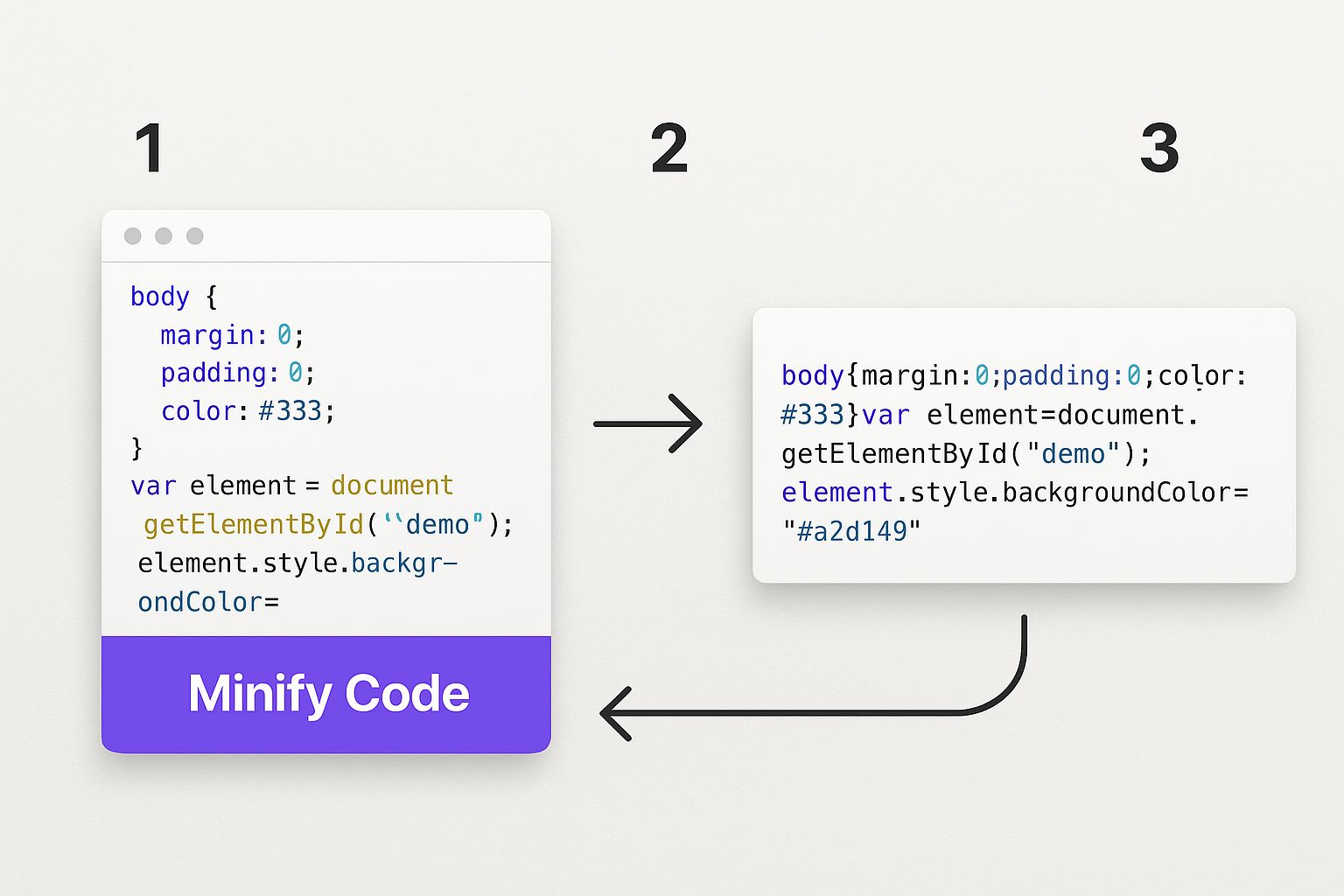
When a developer writes code, they leave in helpful comments, spaces, and line breaks so other humans can actually read and understand it. That's fantastic for building and maintaining a site, but browsers couldn't care less. To them, all those extra characters are just dead weight.
This is where minification saves the day. It’s a simple, automated process that strips out all that unnecessary stuff from your HTML, CSS, and JavaScript files. The code still works exactly the same, but the file size gets a whole lot smaller.
- Before Minification: A CSS file might have comments explaining a design choice or extra spaces to keep things organized.
- After Minification: That same file turns into one compact line of text that’s much quicker for a browser to download and process.
The good news? Most modern e-commerce platforms like Shopify and popular WordPress performance plugins handle this for you automatically. If you're using a quality Shopify theme, chances are these optimizations are already baked right in.
Combine Files to Reduce Requests
Every single file on your page—every image, every stylesheet, every script—forces the browser to make a separate trip to your server. Each one of these trips is called an HTTP request, and each one has a tiny bit of overhead, like a small connection fee. When you have dozens of little files, those fees start to add up, creating a bottleneck that slows everything down.
A really effective way to speed things up is to bundle multiple CSS or JavaScript files into a single, larger file. Instead of the browser making, say, 20 separate requests for tiny scripts, it can just make one or two. This slashes the back-and-forth communication and lets the page load much, much faster.
It’s like ordering pizza. It's way more efficient to get one delivery with everything on it than to have separate drivers bring the dough, then the sauce, then the cheese. Combining files works on the exact same principle.
Once again, many modern themes and optimization apps will take care of this for you. It's a go-to feature in website speed tools because the payoff is so significant.
Defer and Delay Non-Critical JavaScript
Let's be honest: not all code is equally important. Some JavaScript is absolutely essential for that first impression, like the script that makes your navigation menu work. But other scripts—like the one for your customer review widget or that live chat pop-up—can wait a few seconds.
The problem is, when these non-critical scripts load right away, they can actually block the rest of your page from appearing until they're finished. This is a classic, and frustrating, cause of slow websites.
The fix is to defer their loading. By adding a simple "defer" attribute to the script, you’re essentially telling the browser, "Hey, go ahead and download this file, but don't stop building the page. You can run this script after the important stuff is already visible." This tiny change can make your page feel almost instantaneous to visitors because the main content pops up right away.
Putting in this effort is definitely worth it. The web is only getting faster. One study revealed that 86% of B2C websites now load in five seconds or less. This shows just how widespread these technical best practices have become. Smart strategies like prefetching content can even give effective load times a boost of up to 25%. If you want to keep up, you have to stay on top of this stuff. You can dive deeper into the data and what it means for businesses by checking out these page load time statistics.
Make Your Site Fly with Caching and a CDN
Alright, you’ve done the hard work of slimming down your images and cleaning up your code. Now for the fun part. We're going to use two powerful tools to make your site feel incredibly fast: browser caching and a Content Delivery Network (CDN).
These might sound intimidatingly technical, but the concepts are actually pretty simple. Think of it this way: you've already made your website as light as possible. Now, let’s make sure visitors don't have to download it every single time, and let's move it physically closer to them, wherever they are.
Reward Repeat Visitors with Browser Caching
Imagine someone visits your website for the first time. Their browser has to download everything—your logo, stylesheets, product photos, the whole shebang. But what if you could tell their browser, "Hey, hang onto these files. I bet this person will be back."
That's browser caching in a nutshell.
You’re basically giving the visitor's browser instructions to save a local copy of your site’s static assets (the stuff that doesn't change often). When they come back for a second visit, their browser doesn't have to fetch all those files from your server again. It just pulls them straight from its local storage, or "cache."
This simple trick makes return visits feel almost instantaneous. The perceived speed boost is huge because the browser only needs to grab any new content, not the entire site structure it already knows.
Honestly, setting up browser caching gives you the biggest bang for your buck. It directly rewards your loyal customers and repeat visitors with a lightning-fast experience, which is exactly who you want to impress.
The best part? Most good hosting providers and performance plugins (especially for WordPress) let you enable caching with just a few clicks. It's a true "set it and forget it" win.
Go Global with a Content Delivery Network (CDN)
Now, let's talk about the problem of distance. If your web server is in Dallas, a visitor from London has to wait for all your site's data to travel across the Atlantic. That physical distance creates a delay called latency, adding precious milliseconds to your load time.
This is where a Content Delivery Network (CDN) completely changes the game. A CDN is just a massive network of servers spread all over the world, and each one holds a copy of your site's static files—again, things like images, CSS, and JavaScript.
So when that visitor from London tries to load your site, the CDN is smart enough not to pull the files from Dallas. Instead, it serves them from the server closest to her, maybe one in London itself or nearby in Paris. By slashing the travel time for your data, the site loads dramatically faster.
Picking the Right CDN (It’s Easier Than You Think)
Getting started with a CDN used to be complicated, but not anymore. Many hosts offer one-click integrations, and standalone services have made it incredibly simple.
Here are a few of my go-to recommendations:
- Cloudflare: Famous for its incredibly generous free plan, which is more than enough for most small businesses and blogs. It’s a breeze to set up and throws in some great security features, too.
- Bunny.net: This is a fantastic, budget-friendly choice known for top-tier performance. Their pay-as-you-go pricing is perfect if you want blazing speed without a big monthly bill.
- Shopify CDN: If your store is on Shopify, you're already using a world-class CDN! Shopify automatically serves your assets through its own global network (powered by Cloudflare). This is a massive, built-in advantage of the platform.
Here’s a quick breakdown for a typical small ecommerce store:
For a service like Cloudflare, implementation is often as simple as changing a setting in your domain registrar to point to their network. The whole process can take less than 10 minutes. For anyone with a global audience, turning on a CDN is arguably the single most effective thing you can do for your site's speed. It’s like having mini-clones of your server all over the world, ready to go.
Answering Your Top Website Speed Questions
As you start digging into your site's performance, you're bound to have some questions. That's a great sign—it means you're thinking like a pro and focusing on what truly makes a difference. I get asked these all the time, so let's clear up some of the common head-scratchers.
Think of this as your go-to FAQ for those moments when you need a quick, straight-to-the-point answer.
How Fast Should My Website Actually Be?
This is the million-dollar question, right? You'll see the internet-wide average load time is somewhere around 3 seconds, but honestly, you should treat that as a warning, not a goal. To give your visitors a great experience and stay on Google's good side, you really want to be under 2 seconds.
The real sweet spot, especially for mobile users who have zero patience, is getting as close to 1 second as you possibly can. A site that loads in one second feels seamless and can have a massive impact on your conversion rates.
Don't just settle for average. Strive to be noticeably fast. A site loading in under 2 seconds keeps people from bouncing and gives you a tangible advantage over slower competitors in search results.
Remember, speed isn't just a technical metric. It's a direct reflection of your brand's professionalism and how much you value your visitor's time.
Will a CDN Really Make That Much Difference?
Oh, absolutely. I’d say for about 99% of websites out there, a Content Delivery Network (or CDN) is a total game-changer. If you have visitors coming from outside your immediate city or, especially, from other countries, it's not just a nice-to-have; it's essential.
Here’s the simple version: a CDN is a network of servers spread across the globe that holds copies of your site's files (like images, CSS, and JavaScript). When someone from, say, London visits your site hosted in New York, the CDN serves them the files from a server in or near London. This slashes the distance the data has to travel, which can easily shave whole seconds off your load time.
Can I Improve My Site's Speed Without Being a Coder?
You absolutely can. While some of the really deep, technical optimizations do require a developer's touch, a huge chunk of the low-hanging fruit is surprisingly non-technical.
Here are a few high-impact things pretty much anyone can do:
- Shrink Your Images: Use easy online tools or plugins to compress your images. You can cut file sizes in half (or more) without any noticeable drop in quality.
- Install a Caching Plugin: If you use WordPress, a good caching plugin is your best friend. Setting one up is usually just a few clicks and it makes a world of difference.
- Pick Better Hosting: This is a big one. Moving from that bargain-bin shared hosting plan to a quality provider gives your site a much faster foundation to build on.
- Clean House: Go through your plugins or apps and get rid of anything you aren't using. Every extra plugin adds a bit of code bloat that can slow things down.
Just tackling these four things can solve a ton of common speed problems.
Which Core Web Vital Is Most Important for Speed?
All three Core Web Vitals are important for the overall user experience, but when you’re talking purely about the perception of speed, the big one is Largest Contentful Paint (LCP).
LCP measures how long it takes for the main event—the largest image or block of text on the screen—to fully load. A good LCP score tells the user, "Hey, this page is loading, and the good stuff is here." It provides that instant visual feedback that stops them from hitting the back button.
While the other two vitals, First Input Delay (FID) and Cumulative Layout Shift (CLS), are critical for interactivity and stability, LCP is what answers that very first question in a user's mind: "Is anything happening?" That's why it's usually the first metric to tackle when you want to make your site feel faster.
Ready to transform your e-commerce business from a side hustle into a high-growth brand? At Wand Websites, we specialize in building conversion-focused Shopify stores that are not only beautiful but also built for speed. Let us handle the technical details so you can focus on what you do best. Check out how we can help you grow.
