
How to Create a Secure Website for Your E-Commerce Store

So, you’ve built a fantastic business on a platform like Etsy, and now you’re ready for the big leap: launching your own branded store. Moving to a platform like Shopify is a huge step, giving you complete creative and operational control. It’s exciting! But it also brings a new responsibility to the forefront—security.
That might sound intimidating, but it doesn't have to be. For smart business owners like you, building a secure website from the ground up isn't just about preventing problems. It’s a core part of your business strategy.
Why E-Commerce Security Is Your Smartest Investment
Think about it: in the world of online shopping, trust is everything. When a customer types in their credit card number, they're not just buying a product; they're placing their faith in you to keep their private information safe.
A security breach, even a small one, can completely destroy that trust in an instant. The damage to your brand’s reputation can be permanent.
Protecting Your Revenue and Reputation
The financial side of things is just as serious. A single successful attack can slam the brakes on your sales, leading to immediate lost revenue and expensive, time-consuming recovery efforts.
Consider this: recent data shows that a whopping 70% to 80% of retail businesses have faced at least one cyberattack. The average cost of a breach? A jaw-dropping $3.54 million. For a growing shop, that's a risk that's simply not worth taking.
Security isn't an expense; it's an investment in customer confidence and business continuity. A single security incident can cost far more in lost sales and reputation than the proactive measures needed to prevent it.
More Than Just a Technical Task
It’s easy to get bogged down and see security as a boring, technical checklist. I encourage you to shift your mindset. Think of it as a crucial piece of your customer service and a promise you make to everyone who visits your store.
A secure website communicates that you’re a professional and trustworthy business that cares about its customers. That perception has a direct impact on your sales. Customers who feel safe are far more likely to finish their purchase, come back for more, and tell their friends about you.
This proactive approach doesn't just protect you from threats—it actively helps you build a resilient, profitable brand. To really understand the numbers behind this, it's worth exploring the return on investment of cybersecurity.
Building Your Essential Security Foundation
Feeling swamped by all the security advice out there? I get it. Let's cut through the noise and focus on what actually matters when you're just starting out. Building a secure foundation for your e-commerce store isn't about becoming a tech genius overnight; it's about making smart, high-impact choices from day one.
Think of it as laying the concrete for your new digital storefront before you start picking out paint colors.
Your first and most important decision is your platform. If you're coming from a marketplace like Etsy, the whole point is to gain more control without inheriting a massive technical headache. This is exactly why so many sellers make the jump to a platform like Shopify.
They handle the really heavy lifting—all the server security, patches, and scary-sounding tech stuff—behind the scenes. This frees you up to focus on what you do best: your products and your customers. You can rest a little easier knowing a dedicated team of experts is already managing the complex backend security for you.
This is the journey we're aiming for: a smooth transition from a shared marketplace to your own secure, successful store.
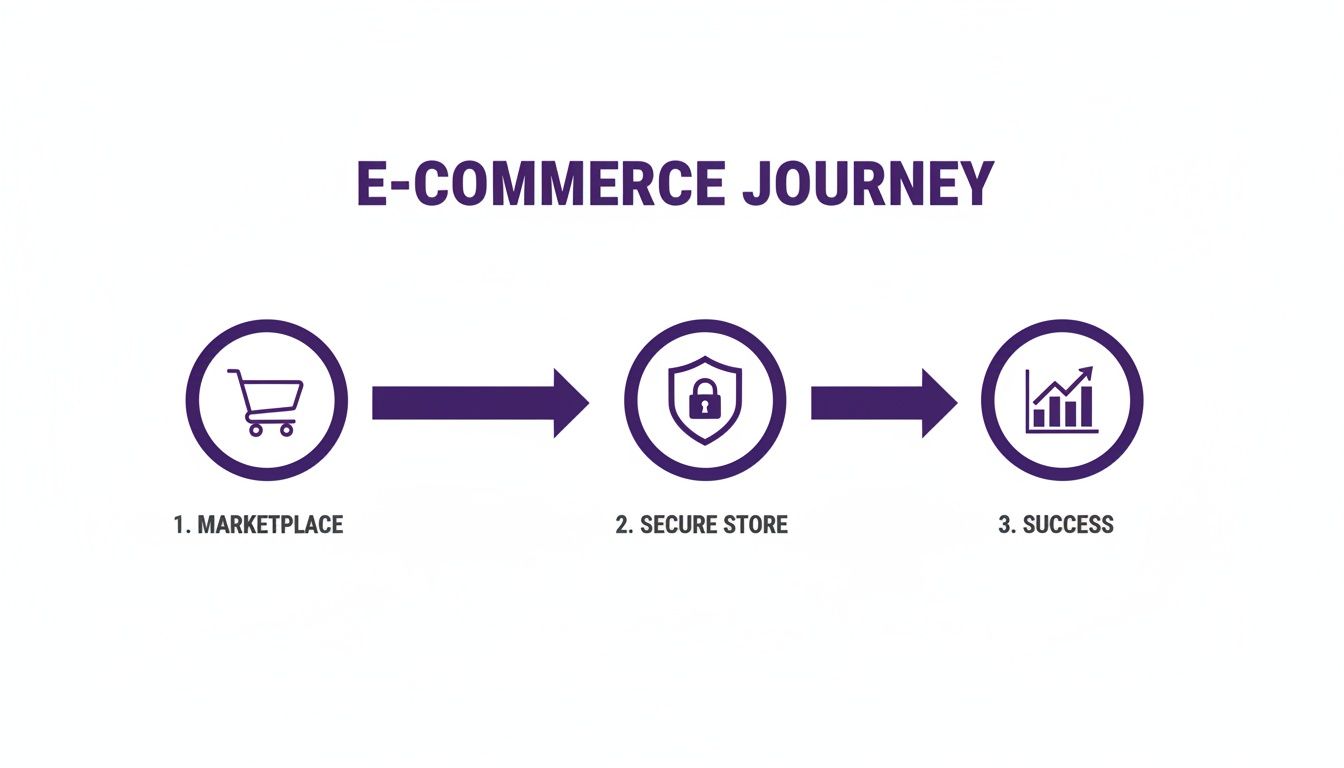
By choosing a secure platform and locking down these foundational steps, you're creating a direct path to sustainable growth and, most importantly, customer trust.
To get you started on the right foot, here's a quick checklist of the absolute must-dos. These are the non-negotiables for any new online store.
Your Initial E-Commerce Security Checklist
Think of this table as your "Day One" security plan. Ticking these boxes puts you miles ahead of many other new store owners.
Your First Line of Defense: Access Control
Now, let's talk about the keys to your kingdom: your passwords and login security. It might sound basic, but you’d be shocked how often weak or reused passwords are the direct cause of a security breach.
Every single administrative account for your store must have a strong, unique password. This isn't just a friendly suggestion; it's a hard-and-fast rule for anyone serious about protecting their business.
A few ground rules I always follow:
- Length over complexity: While a mix of characters is good, length is your best friend. I always aim for at least 12-16 characters.
- One site, one password: Never, ever reuse a password from another site. If your login for some random forum gets breached, you don't want hackers having the key to your business.
- Get a password manager: Trying to remember dozens of unique, complex passwords is a recipe for disaster. Tools like 1Password or Bitwarden generate and store them for you. It's a small investment for a massive security upgrade.
Adding a Powerful Second Layer of Security
A strong password is a great start, but in today's world, it's no longer enough on its own. This is where Multi-Factor Authentication (MFA), sometimes called two-factor authentication (2FA), comes in. It's a game-changer.
MFA adds a second check to prove it's really you logging in, requiring more than just your password. Think of it like needing your debit card and your PIN at the ATM. Even if a thief steals your card (your password), they can't get your money without the PIN.
Multi-Factor Authentication is your single most effective defense against someone breaking into your account. Seriously. Enabling it can block over 99.9% of automated cyberattacks, even if a hacker somehow gets their hands on your password.
Typically, this second "factor" is a temporary code sent to your phone or generated by an authenticator app. Setting up MFA on your e-commerce platform is usually a quick, five-minute process that gives you an enormous boost in security.
The threats out there are very real and constantly evolving. In 2025, a terrifying 56% of attacks exploited valid—but stolen—accounts, sometimes finding ways to bypass even basic MFA. With the average cost of a data breach in e-commerce now at $4.45 million, the stakes couldn't be higher.
These numbers aren't meant to scare you, but to show why fortifying your store's backend with strong passwords and robust MFA isn't just a "best practice"—it's absolutely essential for survival. You can learn more about the latest threats by exploring e-commerce cybersecurity trends from 2025.
Getting Technical: Hardening Your Store’s Defenses
Alright, with the basic security habits locked down, it's time to get a bit more technical. Don't worry, this isn't as scary as it sounds. Think of it as teaching browsers and servers a clear set of safety rules for how they interact with your online store.
Getting these settings right makes your website a much harder target for troublemakers. Even if you're on a platform like Shopify that handles a lot of this for you, understanding the "why" behind it all helps you make smarter choices about the apps, themes, and customizations you add down the road.
Implementing Security Headers
One of the most powerful—and often overlooked—technical tools at your disposal are HTTP security headers. These are basically little instructions your server sends to a visitor's web browser, telling it exactly how to behave to stay safe. They’re like a digital bouncer for your website.
For instance, a security header can force a browser to only load your site over a secure HTTPS connection. Another can block your site from being secretly embedded into a sketchy third-party website. While Shopify automatically sets up most of these, it’s good to know what they are, especially if you start tinkering with custom code.
Here are a few of the big ones:
- Content Security Policy (CSP): This header is your approved guest list. It tells the browser exactly which sources of content (like scripts, images, and fonts) are allowed to load. Anything not on the list gets blocked, which is a fantastic way to stop many code injection attacks cold.
- HTTP Strict Transport Security (HSTS): This is a non-negotiable rule. It tells browsers, "Hey, from now on, only talk to me over a secure HTTPS connection." This prevents attackers from tricking a user’s browser into connecting over an insecure link.
- X-Frame-Options: This one stops a sneaky attack called "clickjacking." It prevents other websites from embedding your store inside an invisible frame, which criminals use to trick people into clicking on things they can't even see.
Preventing Common Web Attacks
Cybercriminals love to use the same old tricks because, well, they often work. Two of the most infamous are Cross-Site Scripting (XSS) and SQL Injection. Just knowing what they are puts you a step ahead.
Cross-Site Scripting (XSS) is when an attacker manages to sneak a malicious script onto a page of your website. It could be through a poorly secured search bar, a comment section, or a vulnerable app. When the next visitor loads that page, their browser runs the script, which could steal their login details or send them to a phishing site.
SQL Injection targets your database. An attacker inserts malicious code into a form field (like a contact form), and if the database isn't properly protected, the code can trick it into dumping sensitive data. We're talking customer names, addresses—you name it.
Luckily, platforms like Shopify have strong, built-in defenses against these specific attacks. But the game is always changing. Recent reports show attacks on web applications are way up, accounting for 20% of breaches with a 34% year-over-year increase. For anyone moving from Etsy, this is a crucial reality check. With more control comes more responsibility. A shocking 55% of breaches still happen because of compromised login credentials, hammering home just how vital your own security habits are.
The Gold Standard: Payment Security with PCI DSS
For any e-commerce shop, protecting payment information is priority number one. No exceptions. This is where PCI DSS (Payment Card Industry Data Security Standard) enters the picture. It's a mandatory set of incredibly strict security rules for any business that handles credit card information.
Let me be blunt: becoming PCI compliant on your own is a nightmare. It’s an expensive, time-consuming ordeal filled with audits and complex technical hurdles. This is genuinely one of the biggest reasons to use a trusted, all-in-one e-commerce platform.
When you use a built-in payment processor like Shopify Payments, Stripe, or PayPal, you are essentially outsourcing your PCI compliance headache. These companies handle the sensitive card data on their own hyper-secure servers. That credit card number never even touches your website. This single decision massively reduces your risk and liability.
You're effectively piggybacking on their multi-million dollar security infrastructure to protect your customers and your business. It's a no-brainer.
Your Ultimate Safety Net: Automated Backups
No matter how many locks you put on the doors, things can still go wrong. A buggy app update, an honest mistake, or a successful attack could corrupt your site’s data. Imagine your products, orders, and customer lists vanishing overnight.
This is why a reliable backup strategy isn't just a "nice-to-have." It's your ultimate safety net. While Shopify backs up its entire platform, having your own independent backups gives you direct control and a massive dose of peace of mind.
Most platforms have apps in their marketplace that offer automated, daily backups of your key store data:
- Products and collections
- Customer information
- Order history and inventory levels
- Theme files and any custom code
These services save your data in a secure, separate location. If the worst happens, you can restore a clean, recent version of your store and be back online in no time. A key part of all this is understanding how to secure a web server, because solid backup and recovery plans are a fundamental piece of that puzzle. It gives you a much better appreciation for the foundation your store is built on.
Securing Your Software and Managing Access
Building a secure website isn’t just about the initial setup. The real work—and the real protection—comes from your day-to-day habits. It’s about keeping your software in top shape and being ruthlessly intentional about who gets the keys to your digital kingdom.
Think of it like this: you can install the most advanced alarm system on your house, but if you leave a window unlocked or hand out spare keys to everyone, it’s not really doing its job. This is all about locking those windows and keeping a tight list of keyholders.
Keep Everything Updated, Always
I can't stress this enough: outdated software is a welcome mat for hackers. They actively hunt for old versions of platforms, apps, and themes with known vulnerabilities because it's the easiest way in. A single out-of-date plugin can give them a backdoor to your entire store.
If you’re on a platform like Shopify, you get a huge head start because they handle the core platform updates for you. That’s a massive weight off your shoulders! But you’re still on the hook for any third-party apps and themes you’ve installed.
Get into the habit of checking for updates weekly. Developers don't just push out updates for shiny new features; they're often patching critical security flaws. Ignoring them is like getting a recall notice for your car and just hoping for the best.
Adopt the Principle of Least Privilege
Alright, let's talk about people. As your shop grows, you’ll probably want help with marketing, fulfilling orders, or answering customer emails. The temptation is to just give them your admin login to get them started fast. Please, don't do this.
Instead, live by a security rule called the principle of least privilege. It sounds fancy, but it’s dead simple: give people access to only what they absolutely need to do their job. Nothing more.
Does the person writing your blog posts need to see your financial reports or customer lists? Nope. They just need access to the blog. By creating a separate staff account with very specific permissions, you shrink your risk enormously.
A compromised staff account with limited access is a headache. A compromised admin account is a full-blown disaster. This single principle can mean the difference between a minor issue and a business-ending breach.
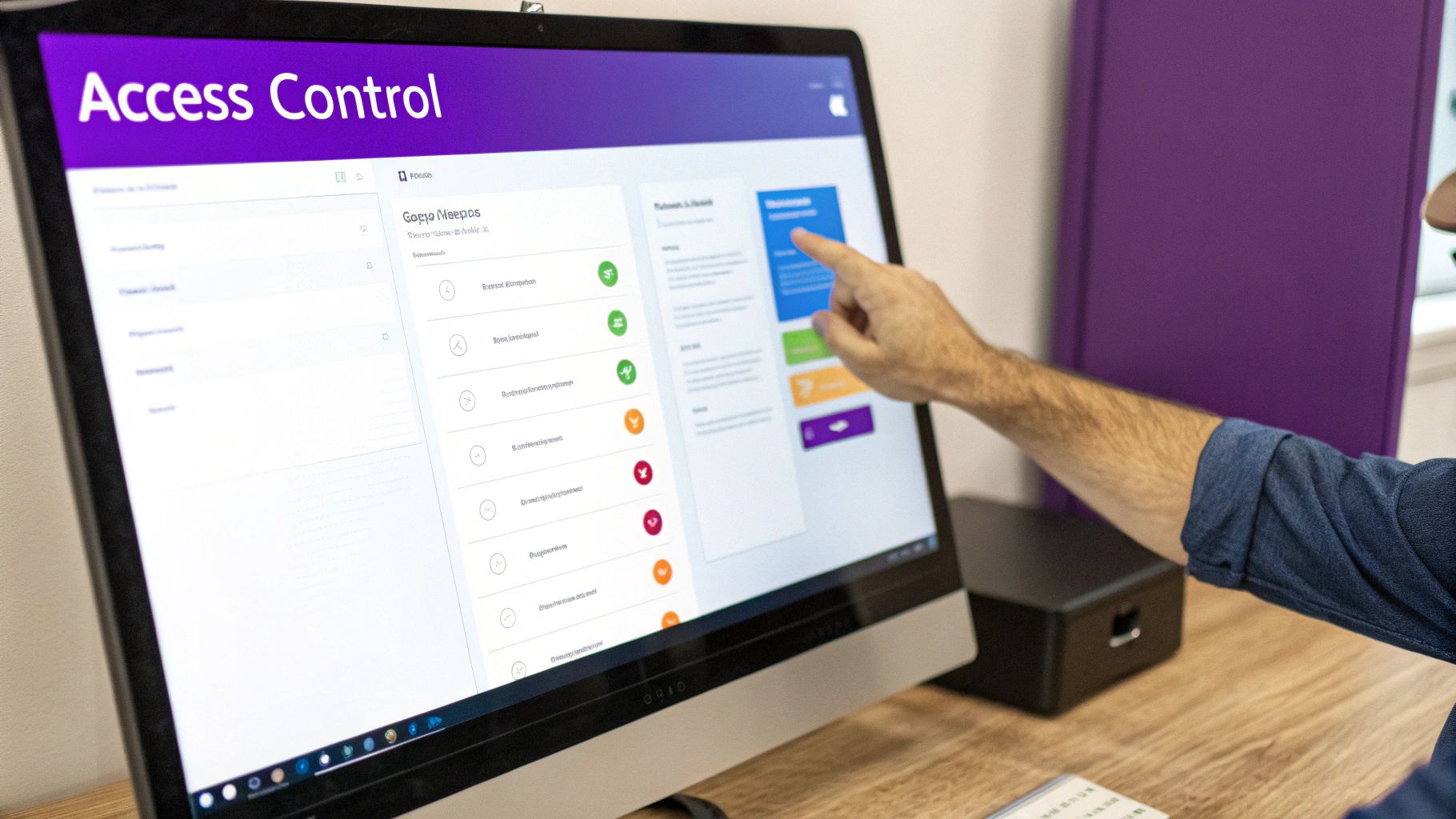
Thankfully, most e-commerce platforms make this super simple. You can usually create staff accounts and assign roles with just a few clicks.
Assigning Smart User Roles
Let's walk through a real-world example. Imagine you’ve hired a virtual assistant (VA) to help manage your product listings.
Here's how you’d apply the principle of least privilege:
- Create a New Staff Account: First things first, go into your store’s settings and create a brand new account for your VA. Never, ever share your owner login.
- Assign Specific Permissions: Your VA needs to manage products, so you'll check the box that gives them access to the "Products" and "Inventory" sections.
- Deny Unnecessary Access: This is the most important part. You will specifically uncheck permissions for things like "Settings," "Finances," "Customer Data," and "Apps." This stops them from changing core settings, viewing sensitive info, or installing new software.
This isn't just about protecting yourself from someone with bad intentions; it also protects you from honest mistakes. If a well-meaning VA accidentally deletes a product, the damage is contained. If they had full admin access, they could have accidentally deleted your entire theme.
Reviewing and Auditing Access Regularly
Setting up user roles isn't a one-and-done task. You need to review them periodically, especially as your team evolves. I suggest setting a calendar reminder to audit all user accounts once a quarter.
During your audit, ask these simple questions for every single user:
- Is this person still part of my team?
- Does their current role still require this level of access?
- Can I reduce any of their permissions and still let them do their job?
If a freelancer's project is over, their account needs to be deactivated that same day. Don't let old, forgotten accounts linger—they're just dusty, unlocked doors waiting for someone to find them.
By combining diligent software updates with a strict access control policy, you build a much stronger, more resilient business. It shows you're taking security seriously not just with tech, but with smart daily habits.
Staying on Guard: Why Monitoring and Testing Matter
So, you’ve built your digital fortress and locked the gates. That's a huge step! But now comes the real work: walking the walls. Keeping your website secure isn’t a one-and-done project. It’s a habit, an ongoing commitment where staying alert is your best defense against trouble.
Think of it like your physical storefront. You wouldn't just install a great lock on the door and then never check it again, right? You’d keep an eye out for anything that seems off. The exact same principle applies to your online store. This constant vigilance turns security from a scary, overwhelming task into a simple, manageable part of your routine.
Set Up Your Watchtowers with Monitoring Tools
Look, you can't be expected to watch every corner of your website 24/7, but thankfully, automated tools can. Security monitoring services are your digital watchtowers, constantly scanning for threats so you can focus on running your business. For a busy shop owner, this is an absolute lifesaver.
Most good security apps for platforms like Shopify will bundle a few key monitoring features. Here’s what you should be looking for:
- Malware Scanning: These tools poke around in your site's code, theme files, and app installations, hunting for anything that looks like malicious code. If they spot something, they’ll send you an alert right away.
- Vulnerability Alerts: They keep a running tab on known security holes in the apps and themes you use. When a developer finds a weakness in an app on your store, the monitor flags it so you know it’s time to update.
- Blacklist Monitoring: This feature checks if big search engines like Google have flagged your site as unsafe. Getting blacklisted can completely torpedo your traffic and smash customer trust, so getting a heads-up is critical.
Think of a monitoring tool as your early warning system. It’s designed to spot the small, subtle signs of trouble—a suspicious file, an outdated app—before they explode into a full-blown security breach that yanks your store offline.
Getting a reputable security app running with automated scans is one of the smartest, lowest-effort moves you can make. It buys you peace of mind and gives you a powerful layer of proactive defense.
Learn to Read the Signs in Your Activity Logs
Your website’s activity logs are basically a security camera feed of everything happening behind the scenes. They track every login, every file change, and every little thing an admin or staff member does. They might look a bit technical at first, but learning to spot weird patterns is an incredibly useful skill.
You don't need to be a cybersecurity guru to do this. You're just looking for things that don't fit the normal rhythm of your business.
For instance, keep an eye out for things like:
- A whole bunch of failed login attempts from a weird IP address.
- A successful login from another country at 3 AM.
- Changes made to your theme files when you haven't hired a developer.
- A brand new admin account popping up that you didn't create.
Giving your logs a quick once-over each week can help you catch a compromised account or an intrusion attempt before real damage is done. Most platforms have a simple activity feed that makes this much easier than digging through raw server files.
Your Simple Ongoing Security Checklist
To keep security from feeling like a chore, just turn it into a checklist. You can whip through this weekly or bi-weekly to make sure your defenses are still holding strong. When it comes to long-term security, consistency is everything.
Here’s a practical maintenance routine you can follow:
Weekly Checks (Takes 5-10 Minutes)
- Check for Updates: Pop into your app and theme dashboards. See any pending updates? Install them, especially if they’re labeled as security patches.
- Review Activity Logs: Give your store's recent activity a quick scan. Does anything look out of place?
- Check Scan Results: Glance at the latest report from your security monitoring app. Did it find anything? Get it sorted out.
Monthly Checks (Takes 15-20 Minutes)
- Audit User Accounts: Go through all your staff and admin accounts. Does everyone on the list still need access? If not, remove their account.
- Review App Permissions: Take a peek at the third-party apps you’ve installed. Do they really still need all the permissions you granted them?
- Confirm Backups: Just double-check that your automated backup system is working and that you have recent backups ready to go.
This simple, structured approach takes ongoing security from something that causes anxiety to a confident, routine part of your business operations. It ensures that the strong foundation you’ve built stays solid week after week.
Burning Questions About Website Security
Making the jump from a marketplace like Etsy to your own store is a huge step, and it's totally normal to have a million questions spinning around your head. Protecting your business is right at the top of that list, so let's get into some of the most common worries I hear from entrepreneurs who are getting serious about security.
"I'm on Shopify—Isn't It Already Secure?"
This is probably the #1 question I get, especially from folks coming from Etsy. And the short answer is yes, Shopify gives you an incredibly solid, secure foundation to build on. They handle all the heavy-lifting stuff like server security, PCI compliance for payments, and even your SSL certificate.
But here’s the thing: Shopify provides a fortress, but you're the one holding the keys to the front gate. You're still responsible for some crucial pieces.
This means you're in charge of:
- Using a strong, unique password for your own admin account (seriously, don't reuse your Netflix password!).
- Turning on Multi-Factor Authentication (MFA). It's a non-negotiable second layer of defense.
- Being picky about the third-party apps you install. Each one is a new door into your store.
- Giving staff accounts only the permissions they absolutely need to do their jobs.
"What's This Going to Cost Me?"
The next big question is always about the budget. "How much is securing my website really going to set me back?"
For most new shops on a platform like Shopify, the good news is that the foundational security costs are practically zero. Your SSL certificate is included, and smart habits like using strong passwords and MFA are completely free.
You can definitely spend more on premium security apps or services, which can run anywhere from $100 to over $1,000 a year. But honestly, for a brand-new store, the powerful tools already baked into the platform handle the most critical threats without you needing to spend an extra dime.
The real "cost" isn't a line item on your budget—it's the price of doing nothing. A single security breach can devastate a small business with lost sales, shattered customer trust, and a painful recovery process that costs far more than any preventative tool.
"Help! What Do I Do if I Get Hacked?"
Okay, the nightmare scenario. If you think your site has been compromised, what's the absolute first thing you should do?
First, don't panic. Take a deep breath. Your immediate first step is to contact your platform's support team—for example, the Shopify support crew. They are your first responders and can often diagnose the problem or even restore a clean backup of your site.
While you're waiting to hear back, change your admin passwords immediately. All of them.
If you can, pop your store into maintenance mode. This walls it off from customers and can stop any further damage. From there, you'll need to work with the support team or a security pro to figure out exactly how the breach happened so you can plug that hole for good.
Ready to build a secure, high-growth e-commerce store without the technical headaches? At Wand Websites, we specialize in creating conversion-focused Shopify sites that empower you to grow your brand with confidence. Let us handle the heavy lifting so you can focus on your products and customers. Learn more about our stress-free website builds.
