
How to Choose a Web Designer That Gets Results

Before you even start looking for a web designer, you need to get crystal clear on two things: what you actually want your website to accomplish and what you can realistically afford to spend. It’s a simple first step, but honestly, it’s the one that makes or breaks the entire project. This foundation ensures you find a partner who gets your vision, not just someone who can build a pretty-looking site.
Defining Your Website Goals and Budget
Think of it this way: you wouldn't ask a contractor to build a house without giving them blueprints. It's the same with a website. A great designer can't read your mind; they need a solid plan to build a site that actually grows your business. Nailing this part upfront is the single most important thing you can do for a successful outcome.

You don’t need to know a bunch of technical jargon for this. It’s all about translating your business goals into concrete website functions. Just start by asking yourself what a "win" looks like for your new site.
Start With Your Primary Business Objective
What is the number one thing you want a visitor to do when they land on your website? Seriously, just one thing. Your answer will guide every single design choice, from the layout to the call-to-action buttons. Vague goals like "get more exposure" are totally useless here. You need specific, measurable outcomes.
Your main goal probably falls into one of these buckets:
- Generate e-commerce sales if you're selling products.
- Capture qualified leads through a contact or quote form.
- Book appointments or consultations with an online scheduling tool.
- Establish brand authority by getting people to read your blog and join your email list.
For instance, if you're an Etsy seller moving to Shopify, your primary goal is pretty obvious: increase direct sales and get customers to come back for more. Right away, that tells a designer they need to focus on a dead-simple checkout process, gorgeous product pages, and features that encourage repeat business.
Your time is better spent in your genius zone. Let a pro in this field make you look like a pro in your field. A well-defined goal allows a designer to build a site that works for you, not the other way around.
Outline Your Must-Have Features
Okay, once you have your main objective locked in, it's time to list the specific features you need to make it happen. Think of these as the functional building blocks of your site. The list doesn't have to be massive, but it should cover the absolute essentials—the things you can't launch without.
This might include things like:
- An e-commerce cart with secure payment options.
- A blog or portfolio to show off your expertise.
- An online booking system for your services.
- A gallery for your high-resolution photos or videos.
- Contact forms that ask the right questions to weed out tire-kickers.
Having this list ready from the start helps prevent "scope creep." That's the dreaded situation where a project keeps getting bigger and bigger, blowing past your budget and timeline. It gives a designer a concrete checklist to give you a realistic quote.
Set a Realistic and Flexible Budget
Let's talk money. It's so important to be upfront about this. Web design costs are all over the map, from a couple of thousand dollars for a freelancer to tens of thousands for an agency. Your budget is the biggest factor in determining who you can hire.
Here’s a quick rundown on the pricing differences:
- Freelancers: Usually more affordable and a great fit for smaller, well-defined projects. You can expect rates from $50 to $150+ per hour.
- Agencies: You get a whole team of specialists (designers, developers, marketers), which is ideal for big, complex projects. Their project fees often start in the $5,000 to $10,000+ range.
Try to think of your website as an investment, not just another expense. A great site should make you money, whether through direct sales or high-quality leads. Be open about your budget with potential designers—a good one will tell you what’s possible for what you're willing to spend.
With your goals and budget sorted, you're in a much better position to find the right person for the job. If you need more guidance on hiring, this comprehensive guide to outsourcing web development is a fantastic resource. Once these foundational pieces are in place, you're truly ready to find a designer who can bring your vision to life.
Alright, you've got a shortlist of potential designers. Now for the fun part: digging into their work to see if they’ve really got the goods. A portfolio isn’t just a pretty picture gallery; it’s proof of what a designer can actually deliver. It’s your first real glimpse into their style, technical chops, and—most importantly—their ability to solve business problems.
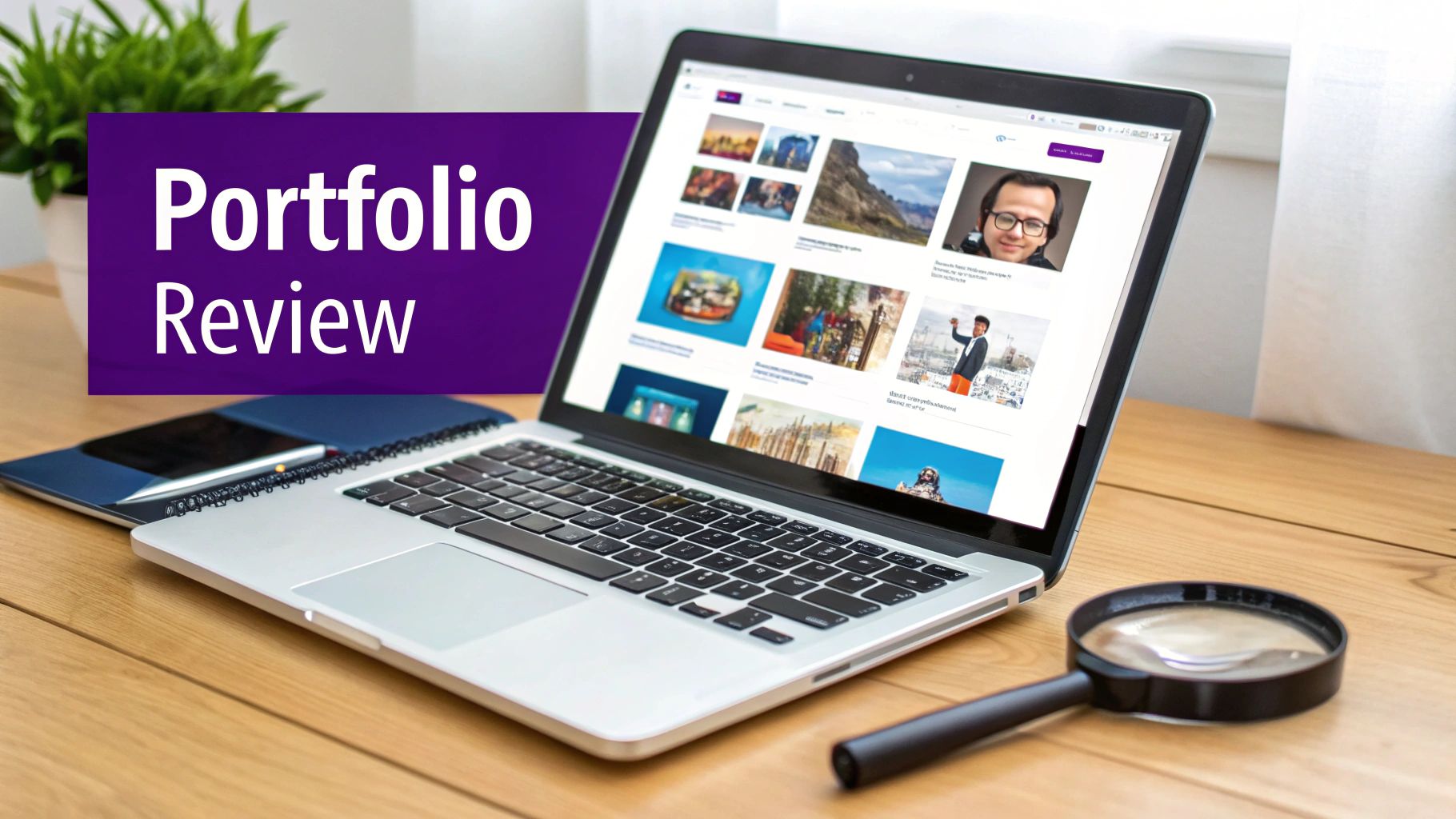
It’s easy to get wowed by flashy animations and super-trendy layouts. But your job is to look past the surface and figure out if their work is truly effective. Is it functional? Strategic? Does it actually align with what you need to grow your business?
Look Beyond Just a Pretty Face
Let's be real: a beautiful website that doesn't convert is just an expensive digital billboard. When you’re scrolling through a portfolio, shift your mindset from "Does this look nice?" to "Does this actually work?"
The best way to do this is to click through to the live sites they've built. Put on your customer hat and start poking around.
- Can you find things easily? Is the navigation a no-brainer, or do you have to hunt for the contact page or product categories?
- Is the layout clean and organized? A cluttered, confusing design sends visitors running for the back button.
- Does the design feel true to the brand? Great designers know how to build a strong web design and brand identity. Look for consistency in colors, fonts, and the overall vibe.
A truly versatile designer will have a portfolio showcasing a range of styles, each tailored to a different client. If every site looks the same, it might mean they’re more focused on their own aesthetic than your unique brand.
The Absolute Must-Have: A Flawless Mobile Experience
In this day and age, a website that’s clunky on a phone is basically broken. Responsive design isn't a bonus feature; it's the bare minimum for any business that wants to be taken seriously.
The numbers don't lie. Mobile devices drive somewhere between 63.15% to 64.35% of all website traffic. And a whopping 73.1% of web designers say a non-responsive design is a top reason people bounce from a site. On top of that, Google’s algorithm heavily favors mobile-friendly sites, which directly impacts whether people can even find you.
My advice? Don't just trust the screenshots. Pull up every single live site in their portfolio on your own phone. Click the buttons. Try to buy something. Fill out a contact form. Is it a smooth, easy experience, or is it a frustrating mess?
The E-Commerce Tech Skills That Really Matter
For an e-commerce brand, especially one moving from Etsy to Shopify, a gorgeous design is only half the equation. The designer you hire needs to be a tech-savvy partner who can build a powerful sales engine.
Here are the specific technical skills you should be screening for.
Deep Shopify Platform Knowledge
You need a true Shopify pro, not someone who’s just played around with a template. They should live and breathe the Shopify ecosystem—knowing which apps are best for what, how to customize a theme without killing your site speed, and the ins and outs of payment gateways.
Proven Website Migration Experience
Moving your shop from Etsy to Shopify is like moving a house—you don't want to break anything precious along the way. A designer who has handled migrations before is worth their weight in gold. They'll know exactly how to manage the tricky parts:
- Product Data: Getting all your listings, photos, and variations moved over without any data loss.
- Customer Lists: Securely transferring your customer information so you can hit the ground running with email marketing.
- SEO Preservation: Setting up all the necessary redirects so you don’t tank your Google rankings overnight.
A Mind for Conversion Rate Optimization (CRO)
This is the secret sauce. A designer skilled in Conversion Rate Optimization (CRO) isn't just making things look good; they're strategically designing every element to turn a casual browser into a paying customer. They obsess over things like product page layouts, checkout flows, and call-to-action buttons because they know it drives sales.
An Eye Toward Future Growth
Finally, a great designer thinks about where your business is headed. They should have experience with more advanced features that can seriously boost your bottom line, like setting up:
- Subscription Models for creating reliable, recurring revenue.
- Product Bundles to increase your average order value (AOV).
When you find someone who nails both the creative design and the hard-nosed e-commerce tech, you haven't just found a designer—you've found a genuine growth partner for your brand.
Asking the Right Questions: The Web Designer Interview
You’ve found a few designers whose work looks fantastic. Now for the most important part: the interview. This is where you find out if the person behind the portfolio is the right partner to build your new online home.
Don’t just focus on their rates. This conversation is your chance to see how they think, what their process really looks like, and if your communication styles will click. A great designer is a strategic partner, not just a pair of hands. They should be just as invested in your business's success as you are.
Talking Shop: Their Design and Work Process
First, you need to understand how they’ll take your vision from an idea to a fully functioning, money-making website. If their answers are vague here, that's a huge red flag. A true pro will have a battle-tested process they can explain clearly and confidently.
Kick things off by getting into the nitty-gritty of their workflow:
- Can you walk me through a typical project, from our first call to the day we go live?
- How do you get to know my brand, my customers, and my business goals?
- What does your feedback and revision process look like? How many rounds of changes are included?
Their answers should give you a sense of structure and organization. You’re looking for someone who can lead the project and guide you, not someone who’s just waiting for you to tell them exactly what to do.
A designer who doesn't ask you deep questions about your business isn't the one. They should be genuinely curious about your customers, your sales process, and your vision. Their real job is to solve business problems with great design, not just make things look pretty.
Digging into Their Technical and Strategic Smarts
Alright, let's get under the hood. A beautiful site that’s slow, buggy, or invisible to Google is just an expensive piece of art. For an e-commerce store, technical performance directly impacts your bottom line.
Here are the critical questions to see if they’ve got the technical and strategic chops:
"How do you bake SEO into the project from the very beginning?" You want to hear them talk about things like proper heading structure (H1s, H2s), mobile-first design, optimizing images for speed, and setting up clean, SEO-friendly URLs.
"What’s your game plan for making sure the website is fast and secure?" Look for them to mention things like clean code, recommendations for quality hosting, image compression, and knowing the security ins and outs of a platform like Shopify.
"Tell me about your experience with website migrations, specifically moving from Etsy to Shopify." For anyone coming from Etsy, this is a deal-breaker. They need to confidently explain how they’ll preserve your hard-earned SEO, handle customer data, and make the switch without a hitch.
Finding the Right Vibe: Communication and Collaboration
Honestly, this might be the most crucial part. A project can completely fall apart due to bad communication, even with the most brilliant designer. You need to find someone you can actually work with.
Think about what works for you. Do you need daily check-ins, or is a weekly summary fine? Are you hands-on, or do you prefer to hand over the reins?
Probe their collaboration style with these questions:
- What tools do you use to keep projects on track and clients in the loop? (They might mention tools like Asana, Trello, or Slack.)
- How do you handle it when we have different ideas about a design choice?
- Can you tell me about a time a project got tricky and how you navigated it?
Pay close attention to how they answer the "disagreement" question. A real partner will talk about finding a solution based on data and project goals—not just their personal taste or your gut feeling. You want a confident guide, not a "yes-man."
To keep all this straight, a simple scoring checklist is your best friend. It helps you compare your top candidates side-by-side and make a decision based on facts, not just a vague feeling.
Web Designer Interview Scoring Checklist
Use this checklist to objectively score and compare potential web designers during the interview process. It takes the guesswork out and helps you focus on what truly matters for your business.
Once you’ve filled this out for each candidate, the right choice often becomes much clearer. This isn’t just about hiring a contractor; it’s about finding a key partner who will help your business grow.
Talking Money: What to Expect for Pricing and Timelines
Let's get into the part that makes everyone a little nervous: money and deadlines. Talking about budgets can feel awkward, but when you're hiring a web designer, clarity on cost and timing is everything. Getting this right from the start is your best insurance against surprise bills and launch delays.
To compare designers and their quotes effectively, you first need to understand how they actually bill for their work. It’s not always as simple as a single price tag.
How Web Designers Charge for Their Work
You’ll generally find that designers use one of three pricing structures: hourly, a fixed project fee, or a monthly retainer. Each has its place, and the right one for you really depends on what you need done.
- Hourly Rates: Just like it sounds—you pay for the time they work. This is perfect for small, quick jobs, ongoing maintenance, or projects where the scope is a bit fuzzy. The only catch is that you need to keep a close eye on the hours to avoid the cost spiraling.
- Fixed Project Fees: This is the go-to for most full website redesigns. You both agree on a set price for a very specific list of deliverables. This gives you peace of mind knowing exactly what you’ll spend, but it means you need to have a crystal-clear idea of what you want before you begin.
- Monthly Retainers: A great option for once your site is live. You pay a set amount each month for a certain number of hours or for specific ongoing tasks like technical upkeep, content updates, or SEO tweaks.
The web design industry is massive—it's a $47.4 billion market in the U.S. alone as of 2025. What does that mean for you? A wide range of prices. A freelancer might quote you anywhere from $1,500 to $5,000 for a standard site, whereas an agency will often have a higher starting point because they might bundle in other services like marketing and SEO. Digging into web design industry statistics can give you a better feel for the investment you're looking at.
What Does a Typical Project Timeline Look Like?
Knowing the roadmap from start to finish can save you a lot of stress. While every project has its own quirks, the overall process usually follows a predictable path. A good designer won’t just build your site; they’ll be your guide through every single phase.
The initial hiring part of the process is about narrowing down your choices methodically to find that perfect partner.
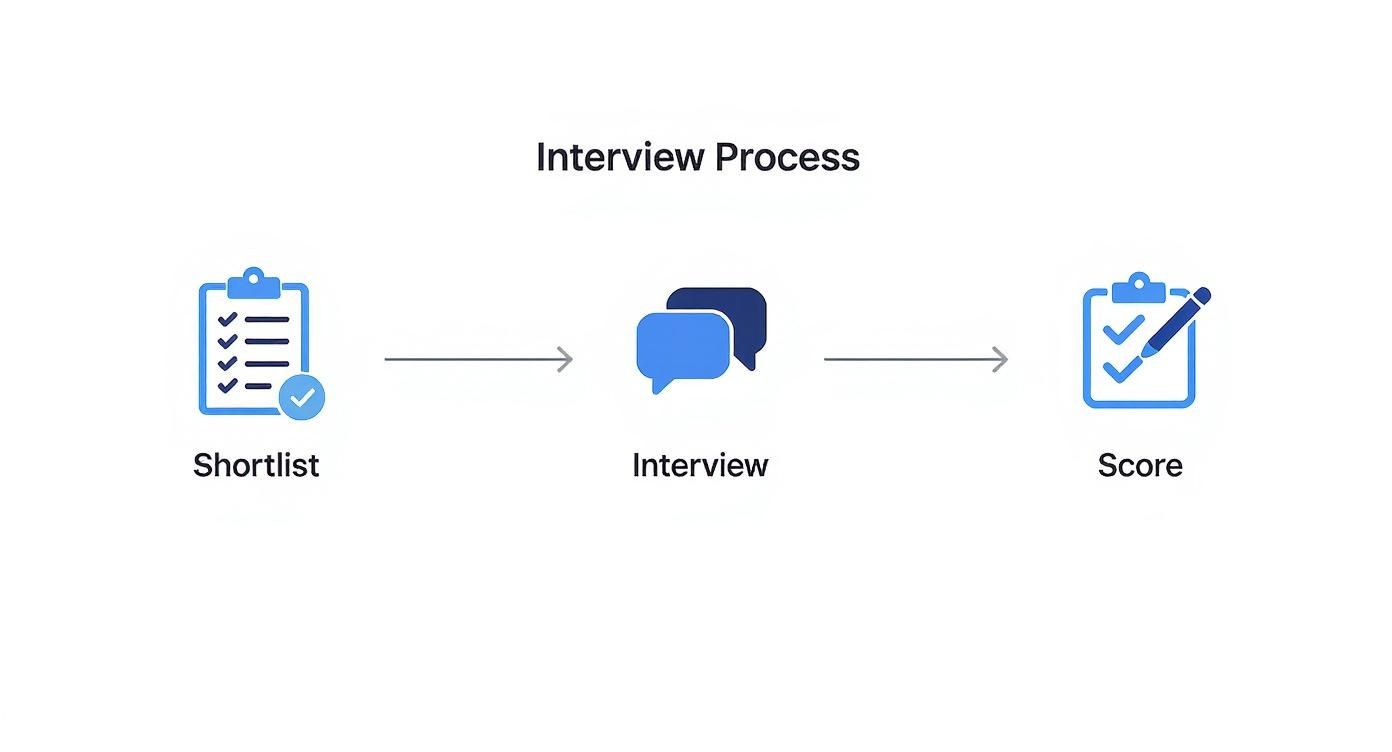
Once you’ve found your designer and signed the contract, the real fun begins. For most projects, you can expect a timeline of around 6-12 weeks, broken down into a few key stages.
Phase 1: Discovery & Strategy (Weeks 1-2)
This is all about planning. Your designer will spend time getting to know your business, your customers, and your ultimate goals for the site. You'll nail down the sitemap, required features, and the overall game plan.
Phase 2: Wireframing & Design Mockups (Weeks 3-5)
Now things get visual. Your designer will create a basic blueprint (the wireframe) and then a full-color design concept (the mockup). This is your chance to see the look and feel and give feedback before any coding starts. Be thorough here!
Phase 3: Development & Content Population (Weeks 6-9)
With the design approved, the build-out begins. The designer will turn the static mockups into a functional website on a private "staging" server. While they're doing that, your job is to get all the text and images ready to go.
Phase 4: Testing & Revisions (Weeks 10-11)
Time for quality control. You and your designer will click through every page, test every button, and view the site on different devices to find and fix any little bugs. This is the last call for minor tweaks.
Phase 5: Launch & Training (Week 12)
It's go-live day! The site gets moved from the staging server to your actual domain for the world to see. Your designer should also walk you through how to use the backend of your new site so you can make simple updates yourself.
A detailed timeline isn't just a schedule; it's a commitment. It holds both you and the designer accountable and keeps the project moving forward without costly delays or misunderstandings.
Creating a Contract That Protects Everyone
So, you’ve found the one! Finding a designer who just gets your vision is a huge win. But before you pop the champagne and kick things off, there’s one final, crucial step: getting a solid contract in place.
This isn’t about mistrust. Far from it. A good contract is a roadmap that protects both of you, making sure everyone is on the exact same page from day one.
Think of it as your best defense against future headaches. A clear, detailed agreement is what separates a smooth, successful project from a partnership plagued by misunderstandings and missed expectations. It becomes the single source of truth you can both rely on.
The Non-Negotiable Contract Checklist
Your designer will likely have their own standard agreement, which is a great starting point. But it’s up to you to put on your detective hat and review it carefully. Before you sign anything, make sure the contract spells out these key components.
Your must-have checklist:
- A Detailed Scope of Work: This is the heart and soul of the agreement. It needs to list every single deliverable—from the exact number of page templates to specific features like a blog setup, subscription functionality, or integrating your email marketing platform. Vague language like "website design" is a massive red flag.
- Clear Project Milestones and Deadlines: The contract should break the project down into key phases (e.g., discovery, wireframes, design mockups, development, launch) and attach realistic deadlines to each one. This keeps the project moving and gives you clear checkpoints to track progress.
- A Transparent Payment Schedule: No surprises here, please. The document must state the total project cost and detail when payments are due. A common and fair structure is 50% upfront to book the work, 25% at a key midway point (like after design approval), and the final 25% right before the site goes live.
- Process for Revisions and Scope Creep: Let's be real—projects evolve. The contract should specify how many rounds of revisions are included at each stage. Just as importantly, it needs to define what happens (and what it costs) when you ask for something that wasn't in the original plan.
A strong contract sets clear expectations and acts as a safety net for everyone involved. It’s not just a legal document; it's a communication tool that ensures the project stays on track, on time, and on budget.
Key Clauses That Protect Your Business
Beyond the project specifics, a few legal clauses are absolutely vital for protecting your brand and business for the long haul. Don’t just skim the fine print here; these details give you peace of mind and control over your digital assets.
Look for specific language covering these three areas:
Intellectual Property (IP) Ownership: This is a big one. The contract must state, without any ambiguity, that you—the client—will own 100% of the final website design and code once the final payment is made. This prevents the designer from reselling your custom-built theme to someone else.
Confidentiality Clause: Your designer will be getting a peek behind the curtain of your business. A confidentiality clause, sometimes called an NDA (Non-Disclosure Agreement), legally prevents them from sharing your sales data, customer lists, or business strategies.
Termination Clause: Sometimes, things just don't work out. This clause outlines the "what ifs." It should explain the process if either party needs to end the contract, how any completed work is handed over, and what payments are owed up to that point.
Setting Your Project Up for a Smooth Start
With the contract signed, you’re ready for the fun part! A seamless onboarding process is the best way to kick things off. The more organized you are upfront, the faster your designer can get down to business. Don't make them chase you for logos and logins—that’s the quickest way to stall a project before it even begins.
Get ahead of the game by gathering everything your designer will need into a shared folder (like Google Drive or Dropbox) before your official kickoff call. This small step shows you’re an organized, professional partner.
Your Onboarding Asset Kit:
- Brand Guidelines: Your logo files (in vector formats like .SVG or .AI if you have them), brand color codes (HEX codes are perfect), and any specific fonts you use.
- Website Content: All the written copy for your main pages (Homepage, About, Contact, FAQs) and your product descriptions.
- High-Quality Imagery: Your best product photos, lifestyle shots, and any other brand photography you want to feature.
- Logins: Secure access to your domain registrar, Shopify account, and any other tools you need to integrate.
Handing all this over from the get-go empowers your designer to hit the ground running, building fantastic momentum and setting a positive, productive tone for the whole project.
A Few Final Questions Before You Hire
As you narrow down your list of potential designers, a few key questions always bubble up. Getting these sorted out is that last little gut check before you sign on the dotted line. It’s about walking into the project feeling confident you’ve covered all the angles.
Let’s run through the most common questions we see from founders who are right on the edge of hiring but want to make absolutely sure they’re making the best call.
What's the Real Difference Between a Designer and a Developer?
This is a big one, and honestly, the lines can get blurry. Think of it this way: a web designer is like the architect. They're obsessed with the user's journey, the visual layout (the UX), and how everything looks and feels. They map out the blueprint for an amazing customer experience.
A web developer, on the other hand, is the master builder. They take that blueprint and bring it to life with code. They handle the technical construction, build custom features, and make sure everything under the hood runs smoothly.
For an e-commerce store, especially on a platform like Shopify, you really need a hybrid—or at least a designer who gets the development side. It's not enough for a site to look pretty; it has to be technically sound and built to convert.
Should I Go With a Freelancer or a Full Agency?
This really boils down to your budget and the scale of what you’re trying to build. There’s no single right answer.
A freelancer can be an incredible partner for projects with a well-defined scope. They often offer a more personal, hands-on relationship and can be more budget-friendly. If you have a clear vision and just need a skilled pro to make it happen, this is a fantastic route.
A web design agency rolls in with a whole team—you get designers, developers, maybe even copywriters and SEO strategists all under one roof. They’re structured to tackle bigger, more complex builds and can manage all the moving pieces. This comprehensive approach comes with a higher price tag but offers a ton of support.
If you're migrating from Etsy and aiming for serious growth, a specialized Shopify agency or a freelancer with a deep e-commerce track record is your best bet. If you’re just looking to polish up a few pages, a talented generalist freelancer might be all you need.
What Are the Biggest Red Flags I Should Watch Out For?
Knowing what to run away from is just as crucial as knowing what to look for. Keep an eye out for these warning signs when you're vetting designers:
- A Dusty, Outdated Portfolio: If their own website is a mess or their work examples look like they’re straight out of 2015, that tells you everything you need to know.
- Radio Silence: Communication is everything. If they take days to respond to an email or give you vague, wishy-washy answers now, imagine what the actual project will be like.
- Prices That Seem Too Good to Be True: A quality website is an investment in your business. A suspiciously low price tag is often a sign of corner-cutting, missed deadlines, or a nasty surprise of hidden fees down the road.
- They Don't Ask About Your Business: A true partner will be curious. If a designer doesn’t ask you about your customers, your revenue goals, or your brand, they aren't thinking strategically. They're just pushing pixels.
Who's on the Hook for Providing the Content and Images?
This is the classic "uh-oh" moment that derails so many projects. Unless your contract explicitly states otherwise, you, the client, are responsible for providing all the text and images for the website.
Be upfront about this from day one. Many designers and agencies can connect you with a copywriter or help source stock photography as a separate service, but you need to budget for it. Get your content and photos ready while the design is in progress—it’s the single best thing you can do to keep your launch on schedule.
Ready to stop playing by Etsy’s rules and build a brand that’s 100% yours? Wand Websites crafts high-performing Shopify stores that turn visitors into loyal customers. We handle the technical headaches so you can focus on what you do best. Let's build a website that grows with you at https://www.wandwebsites.com.
