
10 Ecommerce Merchandising Best Practices to Boost Sales in 2025


Welcome! If you're running an online store, you know that getting visitors is only half the battle. The real magic happens once they arrive: how do you turn a casual browser into a loyal customer? The answer lies in effective ecommerce merchandising. Think of it as the art and science of displaying your products in a way that’s not just appealing but also incredibly easy to navigate, understand, and ultimately, purchase.
This isn't about flashy tricks or complicated software. It's about creating a seamless, intuitive shopping experience that guides your customers effortlessly from discovery to checkout. For growing brands, especially those migrating from marketplaces like Etsy to their own storefront, mastering these skills is the key to building a sustainable business. Strong merchandising builds trust, highlights your product's value, and makes shopping with you feel special. Ultimately, the goal of smart merchandising is to drive sales and growth, so it's essential to understand the various strategies to improve ecommerce conversion rates that work in tandem with your display efforts.
In this comprehensive guide, we'll dive straight into 10 ecommerce merchandising best practices that are crucial for small-to-midsize merchants. We'll skip the fluff and focus on actionable tactics you can implement right away. You'll learn how to optimize everything from product imagery and descriptions to personalization and mobile design, transforming your site into a powerful sales engine that keeps customers coming back. Let’s get started.
1. Product Image Optimization and Multiple Angles
In ecommerce, your product images are your digital storefront, your virtual salesperson, and your customer's first touchpoint. Since shoppers can't physically hold or inspect your products, high-quality visuals are non-negotiable. This practice involves using professional, high-resolution photography from multiple angles, incorporating zoom capabilities, and showcasing products in real-world contexts to build trust and bridge the gap between the screen and reality.
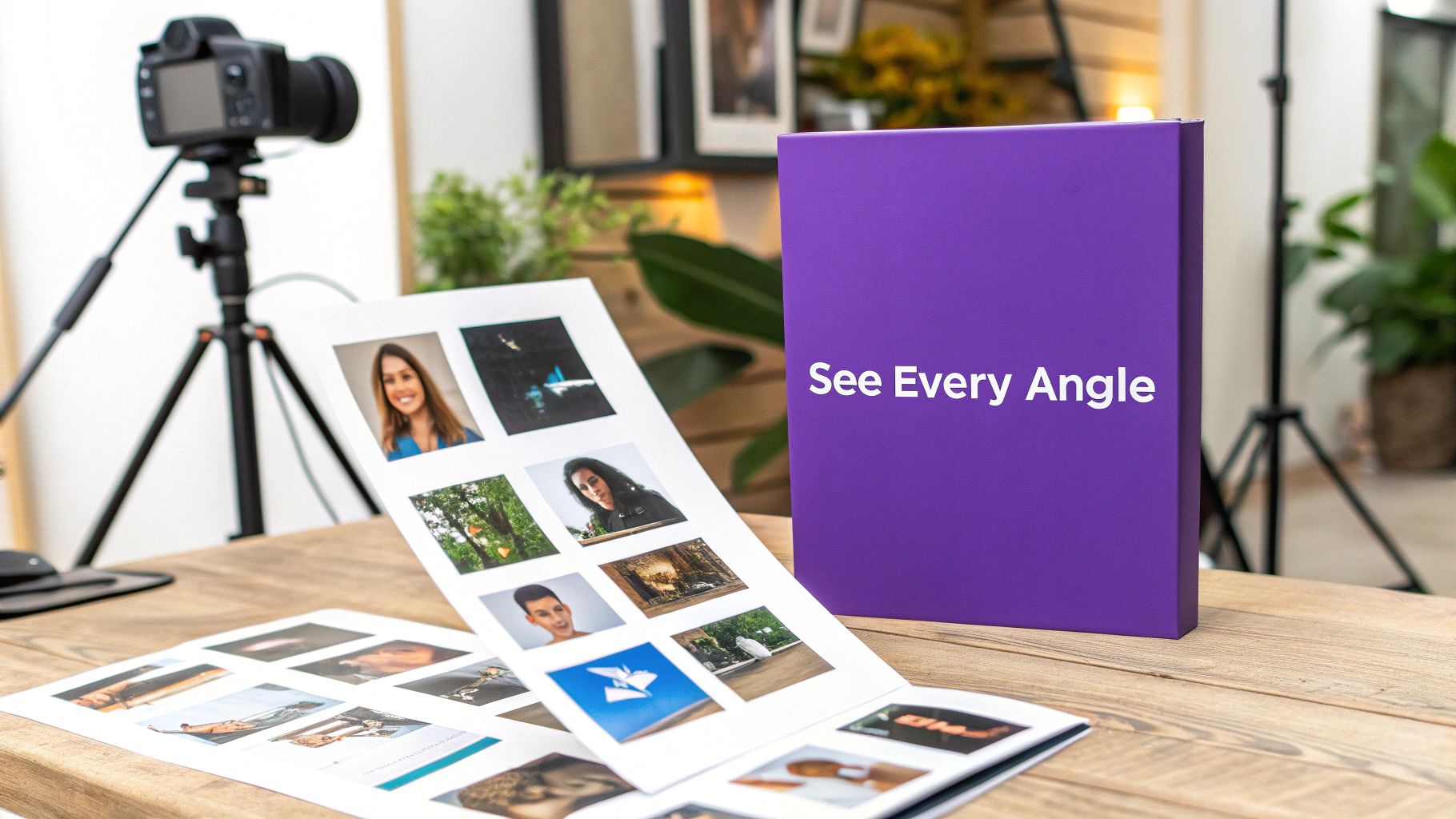
This is a foundational element of ecommerce merchandising best practices because compelling visuals directly impact conversion rates. When a customer can see every detail, understand the product's scale, and imagine it in their own life, their purchase confidence skyrockets, and the likelihood of a return plummets.
How to Implement Stellar Product Imagery
Strong visual merchandising starts with a strategic approach to your photos and videos.
- Cover All Angles: Provide a minimum of 5-7 images per product. Include front, back, side, top, and detailed close-up shots. A 360-degree view, as seen on sites like Amazon, is the gold standard for allowing customers to digitally "handle" the product.
- Show, Don't Just Tell: Use lifestyle images to provide context. For example, Wayfair excels at showing furniture in fully decorated room settings, helping customers visualize how a piece will fit into their home's aesthetic. ASOS often includes a short video of a model walking in an outfit, giving a much better sense of the fabric's movement and fit than static photos can.
- Optimize for Performance: High-quality images often mean large file sizes, which can slow down your site. Use tools like TinyPNG or Shopify's built-in image compression to reduce file size without sacrificing clarity. Implement "lazy loading," which loads images only as the user scrolls down the page, to ensure fast initial page load times.
Actionable Tips for Success
Ready to upgrade your visuals? Start here.
- Provide Scale Reference: For small items like jewelry or crafts, include a photo next to a common object like a coin or a hand to give a clear sense of size.
- Leverage User-Generated Content (UGC): Encourage customers to share photos of your products in use. Featuring these on your product pages adds a layer of authenticity and social proof that professional shots can't replicate.
- Write Descriptive Alt Text: This is crucial for both SEO and accessibility. Instead of "blue-shirt.jpg," write "Man wearing a navy blue crewneck t-shirt made of cotton." This helps search engines understand your image and assists visually impaired shoppers using screen readers.
2. Product Description and Copywriting Excellence
While stunning images grab attention, it's the words that close the deal. Excellent product copy does more than just describe an item; it tells a story, answers questions before they're asked, and connects with the customer's needs and desires. This practice involves writing compelling, benefit-focused descriptions that are optimized for search engines while also persuading a human reader to click "Add to Cart."
This is a critical component of ecommerce merchandising best practices because effective copy bridges the final gap to conversion. It builds on the visual appeal by providing the logical and emotional justification a customer needs to make a purchase, directly addressing their pain points and highlighting the value your product brings to their life.
How to Implement Persuasive Product Copy
Great copywriting feels effortless to the reader but is built on a strategic foundation.
- Lead with Benefits, Support with Features: A customer buys a drill bit not because they want a quarter-inch hole, but because they want to hang a picture of their family. Start by explaining how your product improves their life (the benefit), then list the specifications that make it possible (the features). Patagonia excels here, detailing the technical features of a jacket alongside its sustainability mission, appealing to both practical and emotional buying motives.
- Develop a Distinctive Voice: Your copy is a huge part of your brand identity. Are you witty and informal like Dollar Shave Club, or minimalist and sophisticated like Apple? Your tone should be consistent and resonate with your target audience, making your brand more memorable and relatable.
- Structure for Scannability: Most online shoppers don't read every word; they scan. Use clear subheadings, bullet points for key features, and bold text for important details. This makes your information easy to digest and ensures customers can quickly find the details they care about most, like materials or care instructions.
Actionable Tips for Success
Ready to transform your descriptions from dull to dynamic?
- Address Objections Directly: Think about a customer's potential hesitations. Is it durable? Will it fit? Is it hard to assemble? Weave answers to these common questions directly into your copy to build confidence.
- Use Sensory and Action Words: Engage the senses. Instead of "soft blanket," try "a velvety-soft throw that invites you to curl up." Use powerful action verbs to create a sense of excitement and urgency.
- Incorporate Keywords Naturally: Identify the terms customers use to search for your product and integrate them smoothly into your headings and descriptions. Avoid "keyword stuffing," which can sound robotic and hurt your search rankings.
3. Strategic Product Categorization and Navigation
Think of your website's navigation as the digital aisles and signposts of your store. If a customer can't easily find what they're looking for, they'll simply leave. Strategic categorization involves organizing your products into logical, intuitive groups that match how your customers think and search, creating a seamless and frustration-free path from homepage to checkout.
This is a crucial pillar of ecommerce merchandising best practices because effective navigation directly boosts product discovery and reduces bounce rates. When your site structure is intuitive, shoppers can effortlessly browse and find items they didn't even know they wanted, significantly increasing their average order value and overall satisfaction.
How to Implement Intuitive Navigation
A well-organized site starts with understanding your customer's journey and mindset.
- Align with Customer Thinking: Your categories should mirror how your audience thinks. For a clothing store, this could be "Shop by Outfit" (e.g., "Wedding Guest," "Workwear") in addition to standard categories like "Dresses" or "Tops." ASOS excels here, allowing users to shop by product type, trend, or specific edit, catering to various shopping behaviors.
- Implement Faceted Search: Don't just rely on broad categories. Allow customers to filter results using specific attributes, known as faceted search. Best Buy is a prime example, letting shoppers refine electronics searches by brand, screen size, processor type, and dozens of other technical specs, empowering them to quickly narrow down a vast inventory.
- Keep It Clean and Simple: Overwhelming visitors with too many choices in the main navigation is a common mistake. Limit your top-level menu to 5-7 essential categories. Target uses a clean hierarchy with visual thumbnails, making it easy for shoppers to grasp their options at a glance and dive deeper into subcategories.
Actionable Tips for Success
Ready to organize your digital shelves? Start here.
- Use Data to Name Categories: Dive into your site search analytics and Google Search Console data. What terms are customers actually using? Naming your categories based on real search behavior is far more effective than relying on internal jargon.
- Make it Mobile-First: Design your navigation for the smallest screen first. Use clear, collapsible "hamburger" menus and ensure touch targets are large enough for easy tapping on mobile devices.
- Identify and Fix Drop-Off Points: Use tools like Google Analytics or Hotjar to see where users are abandoning their journey. If many visitors are leaving from a specific category page, it's a strong signal that your navigation or product organization in that area needs improvement.
4. Personalization and Behavioral Targeting
In today's crowded market, a one-size-fits-all approach no longer cuts it. Personalization and behavioral targeting involve using customer data-like browsing behavior, purchase history, and stated preferences-to create a uniquely relevant shopping experience. This practice transforms your store from a static catalog into a dynamic, personal shopper for every visitor.
This is a critical component of ecommerce merchandising best practices because it makes customers feel seen and understood. When product recommendations and content align with their specific needs and tastes, engagement soars, average order value increases, and brand loyalty deepens. It’s the digital equivalent of a favorite shopkeeper who knows exactly what you’ll love.
How to Implement Personalization Effectively
Bringing personalization to life means strategically leveraging the data your customers share with you.
- Implement Dynamic Product Recommendations: Go beyond generic "best sellers." Use tools like Nosto or Shopify's built-in apps to display recommendations based on real-time behavior. Amazon famously masters this with its "Customers who viewed this also viewed" and "Frequently bought together" sections, which are powered by collaborative filtering algorithms.
- Segment Your Audience for Targeted Content: Group customers based on their behavior, such as first-time visitors, repeat buyers, or those who abandoned a cart. You can then show targeted pop-ups, banners, or even different homepage content to each segment. For example, Sephora uses past purchase data to recommend new products that complement a customer's specific skin type or brand preferences.
- Leverage Zero-Party Data: Proactively ask customers for their preferences. Implement a simple on-site quiz ("Find your perfect style") or add preference options in their account center. This explicit data is incredibly powerful for tailoring email marketing and on-site experiences with pinpoint accuracy.
Actionable Tips for Success
Ready to create a more personal shopping journey?
- Start with Rules-Based Logic: You don't need complex AI from day one. Begin with simple rules, such as "If a customer views a product in the 'Running Shoes' category, show them 'Running Socks' and 'GPS Watches'."
- Balance Personalization with Discovery: While recommendations are powerful, don't create a filter bubble. Ensure your site navigation and category pages still allow for serendipitous discovery of new and unexpected items.
- Prioritize Privacy and Transparency: Always be clear about what data you are collecting and why. Ensure your practices are compliant with regulations like GDPR and CCPA to build and maintain customer trust.
5. User-Generated Content and Social Proof Integration
In the world of ecommerce, trust is the ultimate currency. Since shoppers can’t rely on a friend’s recommendation in person, they look to the next best thing: the experiences of other buyers. User-generated content (UGC) and social proof involve featuring customer reviews, photos, ratings, and testimonials directly on your site to build authenticity, instill confidence, and guide purchase decisions.

This is a critical component of modern ecommerce merchandising best practices because today’s consumers trust their peers far more than they trust brand advertising. Displaying genuine feedback and real-world photos validates your product's quality and value, answering potential customer questions before they're even asked and significantly reducing purchase hesitation.
How to Implement UGC and Social Proof
Integrating authentic customer voices into your site creates a powerful and trustworthy shopping experience.
- Make Reviews a Centerpiece: Don't hide your reviews at the bottom of the page. Amazon integrates star ratings directly below the product title, and Sephora allows users to filter reviews based on shopper attributes like skin type or age, making the feedback highly relevant.
- Showcase Customer Photos: Seeing a product in a real home or on a person with a similar body type is incredibly persuasive. Encourage customers to submit photos with their reviews and feature the best ones in a dedicated gallery on the product page, similar to how many modern fashion and home decor brands operate.
- Leverage Third-Party Validation: Integrate trusted third-party review platforms like Trustpilot or Yotpo. These services add an extra layer of credibility because the reviews are collected and verified by an impartial source, assuring customers that the feedback is genuine.
Actionable Tips for Success
Ready to let your customers do the selling for you?
- Actively Request Feedback: Use post-purchase email automation to ask for a review 7-14 days after the product has been delivered. To significantly enhance conversion rates, especially in the competitive e-commerce landscape, leveraging customer reviews is paramount; there are many proven strategies for an e-commerce review boost to convert more sales.
- Embrace All Feedback: Display a mix of positive and constructive negative reviews. A page with only flawless five-star reviews can seem inauthentic. Responding professionally to criticism shows that you value customer feedback and stand behind your brand.
- Incentivize (Ethically): Offer a small discount on a future purchase or entry into a giveaway in exchange for a review. Be sure to clarify that the incentive is for providing honest feedback, not just for a positive review.
- Add "Verified Purchase" Badges: Use a system that automatically labels reviews from confirmed buyers. This simple badge, popularized by Amazon, instantly boosts the credibility of the feedback and helps shoppers filter out potential spam.
6. Dynamic Pricing and Promotional Merchandising
Pricing is more than just a number; it's a powerful psychological tool that can drive customer behavior. Strategic pricing and promotions involve using discounts, sales, bundles, and limited-time offers to create urgency, boost average order value (AOV), and clear inventory. When done right, it moves products without devaluing your brand.
This is a critical component of ecommerce merchandising best practices because it directly influences your two most important metrics: conversion rate and profitability. A well-timed promotion can convert a hesitant shopper, while a smart bundle can significantly increase the value of a single transaction, turning a good sale into a great one.
How to Implement Strategic Promotions
Effective promotional merchandising goes beyond just slapping a discount sticker on a product.
- Create Urgency and Scarcity: Use tactics like flash sales or countdown timers for limited-time offers. Amazon's Prime Day is a masterclass in this, creating a massive buying frenzy by concentrating deals within a short window. Clearly display "Only 3 left in stock!" messages to leverage fear of missing out (FOMO).
- Bundle Products Intelligently: Group complementary items together to increase the perceived value and AOV. For example, a skincare brand might bundle a cleanser, toner, and moisturizer for a slightly lower price than buying each separately. This introduces customers to more of your product line and simplifies their shopping journey.
- Segment Your Offers: Not every customer should receive the same promotion. Use customer data to offer exclusive discounts to loyal customers, a welcome discount to first-time buyers, or a special offer to re-engage customers who haven't purchased in a while.
Actionable Tips for Success
Ready to make your pricing work harder for you? Start here.
- Use Psychological Pricing: The "charm pricing" tactic of ending prices in .99 (e.g., $29.99 instead of $30.00) is effective because customers perceive the price as being significantly lower.
- Clearly Communicate Value: When running a sale, always show the original price next to the discounted price (e.g., "Was $50, Now $35"). This "price anchoring" highlights the savings and makes the deal more compelling.
- Analyze Your ROI: Don't run promotions blindly. Track the performance of each campaign to understand which offers resonate most with your audience and which are most profitable. Analyze whether a 15% discount drives more overall profit than a "Buy One, Get One 50% Off" deal.
7. Mobile-First Design and Responsive Merchandising
In an era where more than half of all online traffic comes from smartphones, treating your mobile site as a smaller version of your desktop site is a costly mistake. Mobile-first design flips the traditional approach on its head by prioritizing the mobile experience from the very beginning of the design process. This means creating a streamlined, touch-friendly, and fast-loading interface tailored for smaller screens, then scaling it up for tablets and desktops.
This principle is a core component of modern ecommerce merchandising best practices because it directly addresses how the majority of your customers shop. A seamless mobile experience reduces friction, boosts engagement, and significantly impacts conversion rates. It ensures that every customer, regardless of their device, has an optimal path to purchase, which is critical for capturing sales in the moment.
How to Implement a Mobile-First Strategy
Adopting a mobile-first mindset involves more than just a responsive layout; it requires a strategic focus on the mobile user's unique needs.
- Prioritize Speed and Simplicity: Mobile users are often on the go and have less patience for slow-loading pages. Aim for a load time of under 3 seconds. Simplify navigation with clear, collapsible menus and prominent search bars. Target's mobile site excels here, offering a clean interface and quick-to-load product pages that make browsing effortless.
- Design for Touch: Mobile interactions are thumb-driven. Position key navigation elements and call-to-action buttons within the "thumb-friendly zone" at the bottom and center of the screen. Ensure buttons and links have large enough touch targets to prevent frustrating mis-taps.
- Streamline the Checkout Process: Abandoned carts are incredibly common on mobile due to cumbersome forms. Reduce the number of steps and form fields required to complete a purchase. Shopify's one-page checkout and dynamic checkout buttons (like Shop Pay or Apple Pay) are perfect examples of mobile-optimized processes that minimize friction.
Actionable Tips for Success
Ready to make your store a mobile-first powerhouse? Focus on these details.
- Test on Real Devices: Browser emulation tools are helpful, but nothing beats testing your site's performance and usability on actual iPhones and Android devices across different screen sizes.
- Optimize Images for Mobile Data: Use responsive images that serve smaller, compressed versions to mobile users. This drastically improves page load times without a noticeable drop in visual quality on smaller screens.
- Simplify Forms and Inputs: Use a single-column layout for forms. Enable auto-fill capabilities and use numeric keypads for fields like phone numbers and credit card information to make data entry as smooth as possible.
8. Strategic Product Positioning and Merchandising Windows
Think of your website's homepage, category pages, and header banners as prime retail real estate. Strategic product positioning is the digital equivalent of a store's window display or end-cap, where you deliberately place specific products in high-visibility areas to drive sales, promote new items, or clear out seasonal inventory. It's about guiding the customer's eye and influencing their purchase journey from the moment they land on your site.
This is a critical component of ecommerce merchandising best practices because it allows you to control the narrative. Instead of leaving discovery entirely to chance or search, you curate the experience, highlighting products that meet your business goals, whether that's maximizing profit on best-sellers or generating buzz for a new collection.
How to Implement Strategic Positioning
Effective digital window displays go beyond just picking a product and featuring it on the homepage. It requires a data-informed, goal-oriented approach.
- Create Thematic Collections: Group products into compelling, browsable themes. Etsy does this brilliantly with curated collections like "Gifts for Every Budget" or seasonal gift guides. This simplifies the shopping process and often introduces customers to products they wouldn't have found otherwise.
- Leverage High-Traffic Areas: Your homepage hero banner is your most valuable asset. Use it to showcase new arrivals, seasonal promotions, or best-selling collections, just as H&M uses its main banner for major campaigns and "New In" sections.
- Use Data to Guide Placement: Dive into your analytics to identify which products are frequently viewed but have a low conversion rate. Featuring these in a prominent position with social proof or a small discount can provide the push needed to convert browsers into buyers. Also, feature products that are often purchased together.
Actionable Tips for Success
Ready to turn your site into a strategic selling machine? Get started with these tips.
- Rotate Features Regularly: Keep your site looking fresh and give more products a chance to shine by updating your featured sections at least weekly. This encourages repeat visits as customers look for what's new.
- Use Clear Visual Cues: Label your featured products with eye-catching badges like "New Arrival," "Best Seller," "Limited Edition," or "On Sale." This immediately communicates value and creates a sense of urgency.
- Align with Marketing Campaigns: Ensure your on-site merchandising is in lockstep with your email marketing, social media ads, and other promotional efforts. If you're running a campaign for a specific product, it should be front and center on your website for a cohesive customer experience.
9. Inventory Visibility and Real-Time Stock Information
Nothing frustrates a customer more than ordering a product only to receive an email days later saying it’s out of stock. Transparent inventory management isn't just a backend process; it's a crucial customer-facing merchandising tool. This practice involves displaying accurate, real-time stock levels directly on your product pages to manage expectations, create urgency, and prevent the operational headache of overselling.
This is a vital component of ecommerce merchandising best practices because it builds trust and directly influences purchasing decisions. When a customer sees "Only 2 left in stock," it creates a powerful sense of scarcity that can push them to buy now rather than later. Conversely, clearly marking an item as "out of stock" with a restock notification option captures a lead instead of losing a sale forever.
How to Implement Inventory Transparency
Effectively communicating stock levels requires syncing your backend systems with your frontend display.
- Display Clear Stock Status: For every product variation (like size or color), the status should be immediately clear. ASOS does this well; when you select a size, it instantly tells you if it's in stock or sold out, preventing you from adding an unavailable item to your cart.
- Create Urgency with Low-Stock Alerts: Use dynamic messaging when inventory dips below a certain threshold. Amazon’s “Only X left in stock - order soon” is a classic example that leverages Fear of Missing Out (FOMO) to drive immediate conversions.
- Offer Restock Notifications: For sold-out items, don't just show a "sold out" message. Include a field where customers can enter their email to be notified when the item is back. This turns a lost sale into a valuable marketing lead and provides data on product demand. Everlane often uses this to gauge interest and plan production runs.
Actionable Tips for Success
Ready to make your inventory a sales tool? Start here.
- Sync Across All Channels: If you sell on multiple platforms (e.g., Shopify, Etsy, Instagram), use an inventory management system to automatically sync stock levels everywhere to prevent overselling.
- Enable Backorders with Clear Timelines: If you plan to restock an item, consider allowing backorders. The key is to be upfront about the expected shipping date (e.g., "Ships in 2-3 weeks") to manage expectations.
- Suggest Alternatives for Out-of-Stock Items: When a product is unavailable, don't leave the customer at a dead end. Use the space to merchandise similar, in-stock products to guide them toward another purchase.
10. A/B Testing and Data-Driven Merchandising Optimization
Guesswork has no place in a competitive ecommerce landscape. A/B testing, or split testing, is the process of comparing two versions of a webpage or merchandising element against each other to determine which one performs better. By systematically experimenting with layouts, promotions, images, and copy, you can make decisions based on real customer behavior rather than assumptions.
This is a critical component of ecommerce merchandising best practices because it removes subjectivity and replaces it with data. A culture of continuous testing, as pioneered by giants like Amazon and Booking.com, ensures that your site is constantly evolving to maximize engagement and sales, turning your store into a conversion-optimized machine.
How to Implement Data-Driven Merchandising
Building a testing framework empowers you to understand what truly resonates with your audience.
- Formulate a Hypothesis: Start with a clear question. For example: "I believe that changing the primary product image to a lifestyle photo instead of a studio shot will increase 'Add to Cart' clicks by 10% because it helps customers visualize the product in their life."
- Isolate One Variable: To get clean, reliable data, only change one major element at a time. If you change both the headline and the product image, you won't know which change was responsible for the lift (or drop) in conversions.
- Run and Analyze: Use tools like Optimizely, VWO, or Google Optimize to split your traffic between the original version (the control) and the new version (the variation). Run the test long enough to achieve statistical significance, which validates that the results aren't due to random chance.
Actionable Tips for Success
Ready to let data guide your decisions? Start here.
- Prioritize Your Tests: Use a framework like ICE (Impact, Confidence, Ease) to decide which tests to run first. Focus on high-traffic pages like your homepage or top-selling product pages for the most significant impact.
- Test Beyond the Button Color: While button colors are a classic example, test more impactful merchandising elements. Experiment with the order of products in a category, the type of social proof you display (e.g., star ratings vs. written testimonials), or the structure of your product descriptions.
- Document Everything: Keep a detailed log of every test you run, including your hypothesis, the results, and what you learned. This knowledge base becomes an invaluable asset for your team, preventing you from repeating mistakes and helping you build on past successes.
10-Point Ecommerce Merchandising Comparison
Putting It All Together: Your Path to a High-Converting Store
We’ve covered a lot of ground, from optimizing your product images to leveraging the power of A/B testing. It can feel like a massive to-do list, especially when you're already juggling product creation, marketing, and customer service. But here's the secret: you don't have to tackle everything at once. The path to a high-converting store isn't a sprint; it's a marathon of intentional, strategic improvements. The goal is to move beyond simply listing products and start creating a guided shopping experience that feels intuitive, personal, and compelling for your customers.
The true power of mastering these ecommerce merchandising best practices lies in taking control of your brand's narrative. For merchants who have built a following on marketplaces like Etsy, this is your moment to graduate from a crowded digital flea market to a premium, standalone boutique. You’re no longer just another tile in an endless scroll, subject to algorithm changes and platform fees. Instead, you're building a direct relationship with your audience and a valuable, long-term asset. This is how you transform one-time buyers into loyal brand advocates.
Your Actionable Next Steps
Feeling overwhelmed? Don't be. Here’s a simple framework to get started and build momentum.
- Identify Your Biggest Opportunity: Review the ten practices we discussed. Which one jumps out as the most glaring gap in your current store? Is your mobile experience clunky? Are your product descriptions bland? Pick one area that you believe will have the most significant impact on your sales and start there.
- Focus on Low-Hanging Fruit: Within that chosen area, what's the easiest change you can implement this week? Maybe it’s adding a "low stock" alert to your bestsellers (Inventory Visibility) or pulling three fantastic customer reviews onto a product page (User-Generated Content). Small, quick wins build confidence.
- Commit to a Testing Cadence: The most successful merchants are relentless testers. They don’t guess; they validate. Make a commitment to run one simple A/B test per month. It could be testing a new product photo, a different promotional offer, or a change to your navigation menu. Let your data guide your decisions.
The essence of great merchandising is empathy. It's about anticipating your customer's questions, understanding their desires, and proactively guiding them to the perfect product. When you get this right, your website stops being a catalog and becomes a trusted sales assistant.
Ultimately, effective ecommerce merchandising is the engine that drives sustainable growth. It’s what separates stores that feel professional and trustworthy from those that feel amateurish. It’s the silent workhorse that increases your Average Order Value (AOV), boosts your conversion rates, and reduces cart abandonment. By methodically implementing these strategies, you are not just decorating your digital storefront; you are engineering a powerful, predictable revenue machine. You're creating an experience so seamless and delightful that customers don't just buy from you once-they come back again and again.
Implementing these ecommerce merchandising best practices is far easier when your website is built on a solid, conversion-focused foundation. If you're ready to build a Shopify store that's engineered for growth from the ground up, Wand Websites can help. We specialize in creating high-performing websites that let you focus on your products while we build the engine that sells them. Let’s build something incredible together.
