
The Best Shipping Software for Small Business A Founder's Guide

When you're trying to find the best shipping software for small business, you'll quickly hear a few names: ShipStation for sellers on multiple platforms, Pirate Ship for its pure simplicity and low cost, and Shippo if you need pay-as-you-go flexibility. The right platform can turn a chaotic fulfillment process into a smooth, money-saving machine that helps small e-commerce brands truly compete.
Why Smart Shipping Software Is a Game Changer
Let's be real—managing shipping can feel like a full-time job in itself. Juggling orders, painstakingly typing addresses, and making endless trips to the post office... all of it steals time you should be spending on what you do best: creating great products and growing your brand.
This is where smart shipping software becomes a lifesaver. It’s not just a minor convenience; it's a critical tool for growth. Good software automates your entire fulfillment workflow, transforming hours of tedious work into a few simple clicks.
The Real Impact on Your Bottom Line
The most obvious win is financial. Shipping software unlocks access to commercial-rate discounts from carriers like USPS and UPS—savings that were once only available to huge companies. These discounts are no joke, often cutting postage costs by up to 30% or more compared to what you'd pay at the counter.
But the savings go way beyond postage. Think about the hidden "soft costs" of doing it all by hand:
- Time Wasted on Repetitive Tasks: Manually copying and pasting customer information is not just boring; it's a breeding ground for typos that lead to returned packages and frustrated buyers.
- No Easy Way to Rate Shop: Without software, most of us just stick with one carrier out of habit. That means you could be overpaying on every single package that leaves your door.
- A Generic Customer Experience: Sending a plain tracking number is fine, but it’s a missed opportunity. Offering a branded tracking page with your logo and a special offer turns a routine update into a chance to delight your customer.
Smart shipping software isn’t just about printing labels faster. It's about building an operational backbone that supports scalability, professionalism, and profitability from your first order to your thousandth.
A Quick Look at Core Benefits
Here’s a snapshot of how the best shipping software for small business can completely overhaul your operations:
Ultimately, great shipping software isn't just about moving boxes; it's a key piece of a well-oiled logistics strategy. For a deeper look at how this fits into the bigger picture, this guide on understanding the broader international supply chain management is a great resource. By getting your time back and cutting operational costs, you're setting your business up to scale the right way.
What to Look For in Shipping Software: The Features That Actually Matter
Before we start throwing around brand names and talking price, let's get on the same page about what really moves the needle. Choosing the right shipping software isn't about finding the one with the longest feature list; it's about finding the one that solves your biggest headaches.
Think of this section as your personal cheat sheet. These are the core functions that will save you time, cut your costs, and make the whole process of getting orders out the door feel a lot less like a chore.
Multi-Carrier Rate Shopping and Discounts
This is, hands down, the biggest money-saver. Multi-carrier rate shopping means that for every single order, the software automatically checks the price across different carriers like USPS, UPS, and FedEx. It instantly shows you the cheapest or fastest option based on what you value most.
Shipping rates are always in flux, changing with package size, weight, and destination. The carrier that’s cheapest for a tiny package going to a big city probably won't be the best deal for a heavy box headed to a rural address. Rate shopping takes the guesswork out of it.
It's not uncommon for businesses to save up to 30% on shipping costs just by consistently picking the best rate. For a small shop, that's pure profit you can reinvest back into your business.
On top of that, these software platforms have serious buying power. They negotiate huge volume discounts with carriers and pass those savings directly to you. You get access to commercial-level pricing you could never get on your own, right from your very first shipment.
E-commerce Platform Integration
This one is absolutely non-negotiable. Your shipping software needs to talk directly to your online store, whether you're on Shopify, WooCommerce, or Etsy. This connection is what stops you from spending hours manually copying and pasting customer addresses—a recipe for disaster.
A good integration works like this:
- Automatic Order Syncing: An order comes in on your site, and poof, it appears in your shipping dashboard, ready to go. No manual entry needed.
- Status Updates: As soon as you print the label, the software shoots the tracking number back to your store and marks the order as fulfilled. Your customer gets notified automatically.
- Fewer Mistakes: Automating this process practically eliminates typos in addresses, which are a leading cause of expensive returned packages and frustrated customers.
Without a seamless integration, you're not really using shipping software—you're just using a complicated postage calculator. This feature is the glue that holds your entire fulfillment process together.
Batch Label Printing and Fulfillment
Picture this: you wake up to 50 new orders. The old way would be to click into each one, type in the details, print a label, and then repeat that process 49 more times. Batch fulfillment lets you knock that entire job out in just a few minutes.
With batching, you can select a whole group of orders at once and print all their labels in a single go. This is a lifesaver during the holidays or after a promotion when orders start piling up.
For instance, if you get 30 orders on a Monday morning, you could:
- Highlight all 30 orders in the software.
- Apply a shipping preset you created, like "all packages under 1 lb ship with USPS Ground Advantage."
- Hit "Print," and all 30 labels will come spitting out of your thermal printer.
This workflow is the secret to scaling up without pulling your hair out. It’s what empowers a solo entrepreneur to handle hundreds of orders a week and is a critical feature to look for when choosing the best shipping software for your small business.
An Honest Comparison of Leading Shipping Platforms
Alright, you know what to look for in shipping software. Now, let’s put the top contenders under the microscope to see how they stack up in the real world. Finding the best shipping software for small business isn’t about picking the most famous name; it’s about matching a platform’s strengths to your unique workflow, order volume, and future plans.
Forget generic feature lists. We’re going to dig into where each platform really shines and where it might fall short for a business like yours. We’ll compare the powerhouse automation of ShipStation with the radical simplicity of Pirate Ship, giving you a clear picture of what it's like to use them day in and day out.
H3: ShipStation: The Multi-Channel Powerhouse
ShipStation has cemented its reputation as the command center for businesses selling everywhere at once. If you’re juggling orders from Shopify, Etsy, Amazon, and maybe even a weekend market, this is the tool designed to pull all that chaos into one clean dashboard.
Its superpower is its incredibly deep automation rules. You can set up "if-this-then-that" logic for almost any shipping task you can think of. For instance, you could create a rule that says, "If an order is over 2 lbs and shipping to a residential address, automatically use UPS Ground and add insurance." That kind of hands-off control saves a ton of time and prevents costly mistakes as you start to scale.
ShipStation's Key Differentiator: Unmatched automation and workflow customization. It’s built for businesses that have moved beyond just printing a few labels and need a serious system to manage complex, multi-channel fulfillment.
The trade-off? All that power comes with a steeper learning curve and a required monthly subscription. If you're just starting out with a handful of orders a week, it might feel a bit like using a sledgehammer to crack a nut.
H3: Shippo: The Flexible Pay-As-You-Go Option
Shippo hits a real sweet spot, offering a great mix of powerful features with a pricing model that’s hard to beat. Its free "Starter" plan is a huge win for new businesses, giving you access to commercial carrier discounts without any monthly fee. You just pay for your postage plus a tiny per-label fee.
This makes Shippo the perfect entry point. It gives you the core tools you need—rate shopping, batch printing, and e-commerce integrations—without forcing you into a subscription. As your business grows, you can move up to their paid plans to ditch the per-label fee and unlock more advanced features.
Think of Shippo as your adaptable partner. It’s simple enough for a total beginner but has plenty of room to grow with you. It also supports a huge range of domestic and international carriers, which is great for businesses exploring new markets. For those on WooCommerce, managing these shipping complexities is key. You might find some helpful guidance in a comparison of the best shipping restriction plugins for WooCommerce.
H3: Pirate Ship: The Champion of Simplicity and USPS Rates
Pirate Ship has earned a fiercely loyal following for a very simple reason: it’s 100% free to use and gives you access to the deepest discounts possible on USPS and UPS. There are no monthly fees, no hidden costs, and no confusing tiers. You only ever pay for the postage you buy.
This platform is all about being straightforward. The interface is clean, fast, and laser-focused on one thing: getting you the cheapest possible label in seconds. For Etsy sellers or small Shopify stores that mostly ship with USPS, Pirate Ship is almost always the most cost-effective choice.
Pirate Ship's Key Differentiator: Unbeatable cost-effectiveness for USPS and UPS. Its dead-simple, no-frills approach is the fastest way for startups and low-volume shippers to get the best postage rates, period.
The trade-off for that beautiful simplicity is a lack of advanced features. You won't find the complex automation of ShipStation or the massive carrier network of Shippo. It’s a specialized tool that does one job, and it does it exceptionally well.
The diagram below shows how these core features work together to make your fulfillment process more efficient.
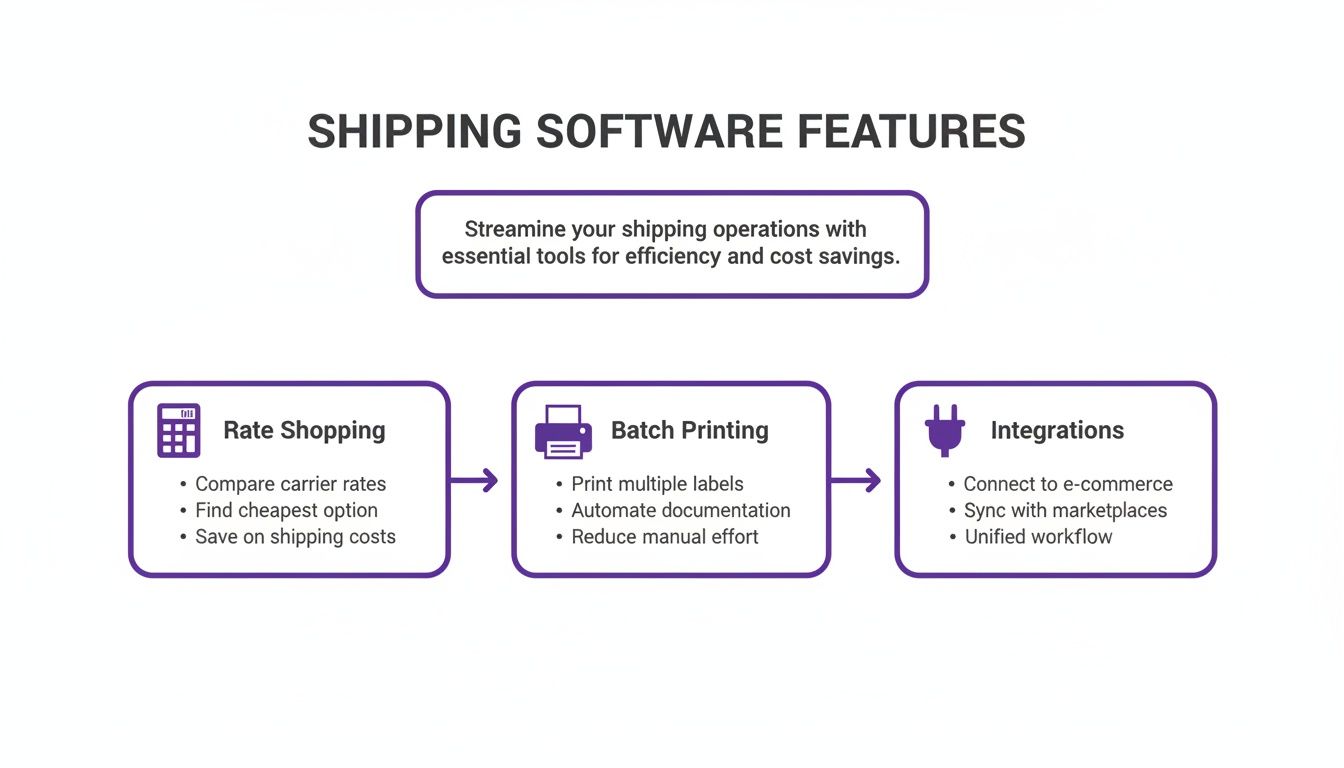
From automatically finding the best rate to printing a whole day's worth of labels at once, a good platform turns a series of tedious tasks into a smooth, integrated workflow.
H3: Making Your Decision: A Side-By-Side Look
To make things even clearer, here’s a quick look at how these platforms stack up on the features that matter most to a small business.
How Top Shipping Platforms Compare
A side-by-side look at how leading shipping platforms stack up on key features for small businesses.
As you can see, there’s no single "best" platform—only the best fit for where your business is right now. These tools are constantly evolving, especially as the North American market, valued at USD 3.8 billion in 2023, continues to lead the way. New tech is helping small businesses optimize delivery routes with AI, cutting fuel costs by 15-20% and boosting on-time delivery rates to 95%.
Choosing the right partner from the get-go builds a solid foundation, allowing you to scale your operations smoothly and profitably down the road.
Matching the Right Software to Your Business
When you're trying to choose the best shipping software for a small business, there’s no single “winner.” The right platform is the one that just fits—the one that slots into your existing workflow, matches your order volume, and makes sense for your business model. What’s perfect for a booming Shopify store might be total overkill for an Etsy artisan.
Let’s get practical and ditch the guesswork. I'm going to walk you through a few common small business scenarios, recommend the best platform for each, and break down exactly why it’s the right call. This way, you can see your own business in these examples and pick a tool that will actually help you grow.
The Etsy Artisan Shipping Unique Items
Imagine you run an Etsy shop selling handmade ceramic mugs. Your sales are a bit unpredictable—maybe five orders one day and twenty the next. Every single package has a different weight and different dimensions. Your biggest priorities are keeping things simple and your costs as low as humanly possible, because shipping can easily chew up the profit on your one-of-a-kind pieces.
For this kind of setup, Pirate Ship is the clear winner. Its interface is clean and ridiculously easy to use; you can punch in details and have a label ready in seconds without getting bogged down in confusing settings. Best of all, it's completely free. You get access to the deepest possible discounts on USPS Ground Advantage and Priority Mail, which are the go-to services for most creative sellers.
You don't need complex automation rules or a fancy dashboard that pulls in orders from ten different places. You just need cheap, fast labels. Pirate Ship delivers exactly that, making it the perfect tool to protect your margins on every single sale.
The High-Volume Shopify Store
Okay, now let's picture a Shopify store that’s really starting to take off. You’re selling apparel and pushing out 50-100 orders every single day. Orders are flying in from your website, Instagram, and maybe even the occasional pop-up shop. Your main challenges are no longer just cost, but speed and accuracy. You simply can't afford to spend hours manually typing in addresses or making costly shipping mistakes.
This is where a tool like ShipStation really shines. It becomes a central command center for your entire fulfillment operation, pulling in orders from all your sales channels into one place. For a store with this kind of volume, its automation rules are an absolute game-changer. For example, you can create a rule that says, "If an order weighs less than one pound, automatically assign USPS Ground Advantage and print the label." No clicks, no decisions, just pure efficiency.
ShipStation is built for the business that has graduated from simple label printing to needing a true fulfillment system. Its ability to automate repetitive decisions and handle multi-channel complexity is what makes it the best choice for a rapidly scaling Shopify brand.
The monthly subscription is a small price to pay for the hours of manual labor it saves you each week. That’s time you can put back into marketing and product development instead of getting buried in logistics.
The Subscription Box Startup
Finally, let's look at a new subscription box business. Your shipping schedule is highly predictable—you send out hundreds of similar-weight packages on the same day each month. What you need is a blend of cost-effectiveness for those big batch shipments and the flexibility to grow your subscriber base without getting locked into high fees.
Shippo offers the perfect balance for this model. Its free starter plan lets you tap into excellent carrier discounts without having to commit to a monthly fee, which is a lifesaver when your subscriber count is still climbing. When your big "ship day" rolls around, you can use its batch printing features to generate hundreds of labels all at once.
As your business matures, you can easily upgrade to a paid plan to get rid of the small per-label fee and unlock more advanced features. This scalability makes Shippo an awesome partner that can grow right alongside your subscription service, from your very first box to your thousandth.
These cloud-based platforms are becoming the standard for managing the e-commerce surge. In fact, they now hold a dominant market share of 71.67% in 2024, with businesses saving up to 30% on shipping by using automated rate shopping and label generation. According to a shipping software market report, this kind of efficiency is exactly what helps a lean business model like a subscription box succeed.
Getting Your New Shipping Software Up and Running
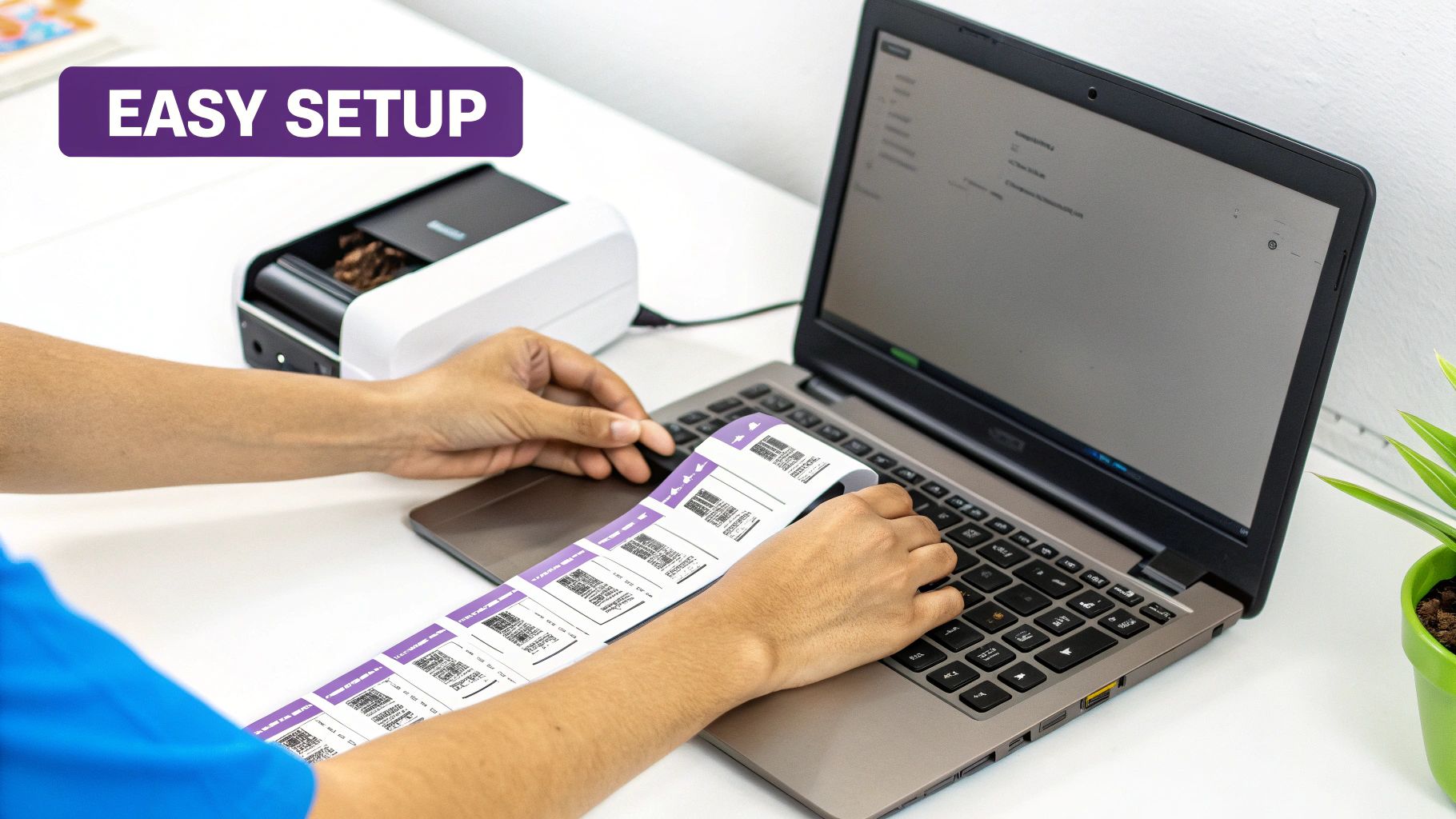
Alright, you've put in the research and picked your new shipping platform. Now for the fun part: getting it plugged into your business. The words "software setup" can sound a little daunting, but I promise, today's tools are built to make this process incredibly painless. You can usually get everything connected and ready to go in less than an hour.
Let’s walk through the key steps to make sure your transition is seamless, so you can start saving time and money on shipping immediately.
Connect Your Store and Carrier Accounts
First things first, you need to link your e-commerce store and your shipping carriers to the software. This is the connection that allows all your orders to flow in automatically, which is the whole point!
Most platforms will guide you through this with a simple setup wizard. You’ll look for a button like "Add a Store," pick your platform (like Shopify or Etsy) from the list, and follow the on-screen instructions to grant access. It’s typically just a matter of logging into your store account. You'll repeat a similar process for your carrier accounts if you want to use your own negotiated rates with services like UPS or FedEx.
Configure Your Printer and Label Size
Before you hit "print," you have to let the software know what kind of printer you're working with. If you haven't already, I highly recommend a 4x6 thermal label printer. It's the standard for e-commerce for good reason—it’s lightning-fast and you'll never have to buy ink or toner again.
Dive into your software’s settings and find a section for "Printers" or "Hardware." All you have to do is select your printer model from a dropdown menu and confirm the label size (e.g., 4" x 6"). This quick step guarantees that every label comes out perfectly sized and ready to scan.
Pro Tip: Always print a single test label before processing a live order. It’s a five-second check that can save you from wasting a whole roll of labels because of a simple alignment issue.
Pull in Your Orders and Build Shipping Presets
With your store connected, you should see all your unshipped orders magically appear on your new dashboard. This unified view is your new command center for fulfillment. But before you start cranking out labels, take five minutes to set up shipping presets.
Presets are basically saved templates for your most common shipments. Think of them as shortcuts. For instance, you could create one called "T-Shirt" that automatically applies these settings:
- Preset Name: First-Class T-Shirt
- Carrier: USPS
- Service: Ground Advantage
- Package: Poly Mailer (10"x13")
- Weight: 8 oz
Setting up presets for your go-to products transforms a repetitive, multi-step task into a one-click action. This is the secret to building a truly efficient workflow with the best shipping software for small business. Once they're set, you can grab dozens of similar orders, apply the preset instantly, and have them all ready for batch printing in seconds.
Your Questions, Answered
Picking the right shipping software is a big step, but it doesn't need to be overwhelming. We've gathered some of the most common questions we hear from small business owners and answered them in plain English. Let's clear things up so you can move forward with confidence.
Can I Use My Own Carrier Accounts with This Kind of Software?
Absolutely. This is one of the first things people ask, and it's a critical feature. Nearly all leading shipping platforms are designed to connect directly with your existing carrier accounts, whether it's with UPS, FedEx, DHL, or another provider.
This is a huge advantage. It means you get to keep any special rates you’ve negotiated with your carriers while still getting all the benefits of the software—like powerful automation, rate shopping, and streamlined order management. You get the best of both worlds: your discounted rates and their super-efficient workflow.
How Much Money Can I Realistically Save?
The savings really come from two places: lower postage costs and getting your time back. Right off the bat, these platforms give you access to commercial shipping rates, like USPS Commercial Pricing, which are always cheaper than what you'd pay at the post office counter. For a growing business, that can easily add up to hundreds or even thousands of dollars a year.
The second—and arguably more valuable—saving is in your time. Think about how long it takes to manually copy-paste addresses, verify them, and print labels one by one. Automating all of that can easily save you several hours every single week. For a founder, that time is priceless.
The real return on investment isn't just in the cents saved per label. It’s in the hours you get back to focus on marketing, product development, and customer service—activities that actually grow your business.
Is Shipping Software a Pain to Set Up for a Non-Technical Person?
Not at all. The people who build this software know their customers are busy entrepreneurs, not IT experts. The best platforms are cloud-based, so there’s nothing to install. You just log in through your web browser.
They all have user-friendly dashboards and guided setup wizards that walk you through connecting your e-commerce store and carrier accounts step-by-step. And if you ever do get stuck, every reputable company has great customer support, from live chat to detailed help guides. Seriously, if you can run an online store, you can definitely handle this.
What Kind of Printer Do I Need?
You could use a standard office printer and plain paper, but you'll quickly find it's slow and clunky. To really get the most out of your shipping software, you'll want a 4x6 thermal label printer.
There's a reason these are the standard in e-commerce:
- Speed: They print labels in a flash.
- Cost-Effective: They use heat to print, which means you never have to buy a single drop of expensive ink or toner.
- Professionalism: The peel-and-stick labels look sharp and scan perfectly every time.
Brands like Rollo and Zebra are popular, reliable choices, and they work seamlessly with all the major shipping platforms.
How Do I Handle International Shipping?
This is where good shipping software truly shines. Shipping internationally is more than just slapping a label on a box; you've got customs forms, duties, and taxes to worry about. The right software makes this incredibly simple.
These platforms automatically generate the correct customs paperwork (like a CN22 or a commercial invoice) using the product info from your store. Many can even help estimate duties and taxes for you, which helps prevent surprise costs for your customers and keeps packages from getting stuck at the border. This feature alone makes selling globally so much more approachable.
Can I Switch to a Different Shipping Platform Later?
Yes, and it's usually a pretty straightforward process. Because all of your order history lives in your e-commerce platform (like Shopify or WooCommerce), you’re never truly locked into one shipping provider.
If you find that you've outgrown your current software or another one fits your needs better, you just disconnect your store from the old platform and connect it to the new one. You’ll have to set up your shipping rules and presets again, but all your order data remains safe and sound in your store’s admin. It gives you the flexibility to always use the best tool for the job as your business evolves.
Ready to stop wrestling with logistics and build a website that drives real growth? At Wand Websites, we create high-performing Shopify stores that turn your hard work into more traffic, bigger orders, and loyal customers. Let us handle the technical details so you can focus on your products. Learn more about our services.
